







Features / Automated Email

Automated emails for accountants and bookkeepers

Send reminders, record requests and updates to clients automatically, triggered by service deadlines or completed job phases, so your team stops writing the same emails by hand.

No card details required. Every feature and unlimited users included, from £9 +VAT a month.

Watch the demo

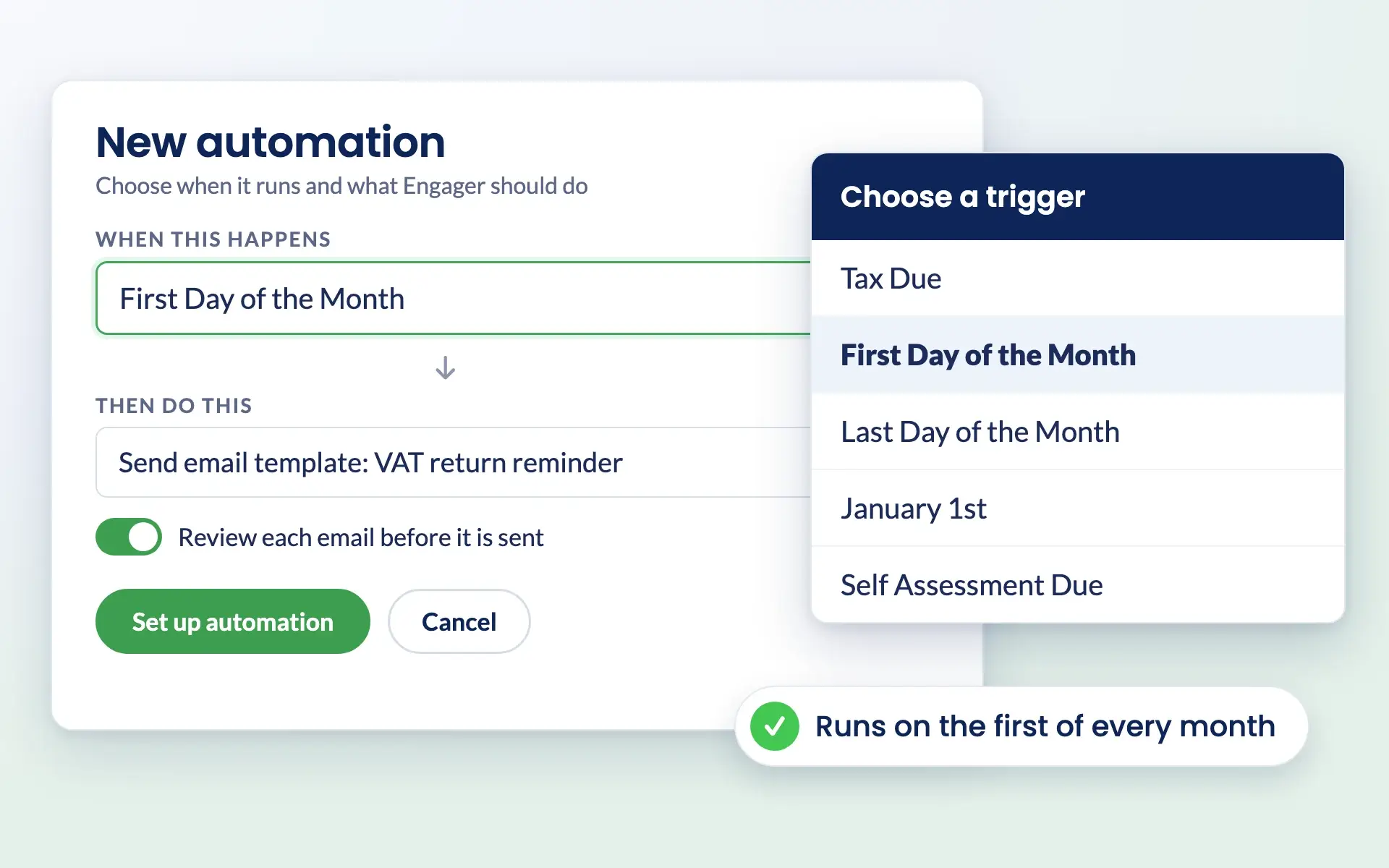
Engager automation set to run on the first day of the month, with the trigger menu open

Why automate

Stop writing the same client emails every month

Reminders, follow-ups and deadline notices take hours when they are sent one at a time. Engager sends them for you, using your templates, your branding and the right details for each client.

  • Start from pre-built automated emails or write your own templates
  • Trigger emails from service deadlines or completed job phases
  • Review each email first, or let it send automatically
  • Personalise with placeholders for client name, service and deadline
  • Client replies are linked to their profile in Engager

See pricing for your practice

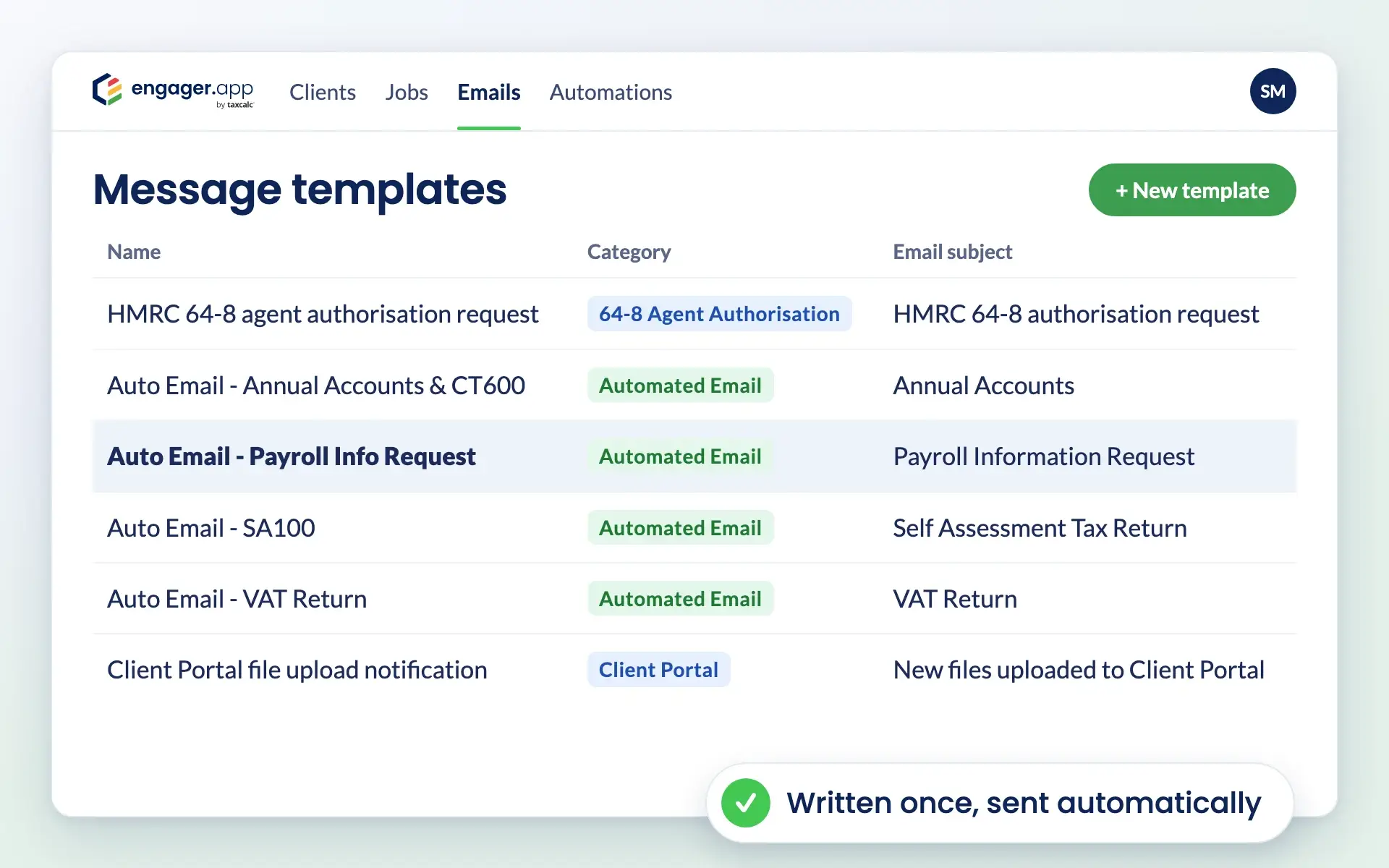
Engager message templates list with automated emails for accounts, CIS, payroll and VAT

How it works

How automated emails work in Engager

Set up your templates and triggers once, and Engager keeps clients informed in the background.

Write your templates once

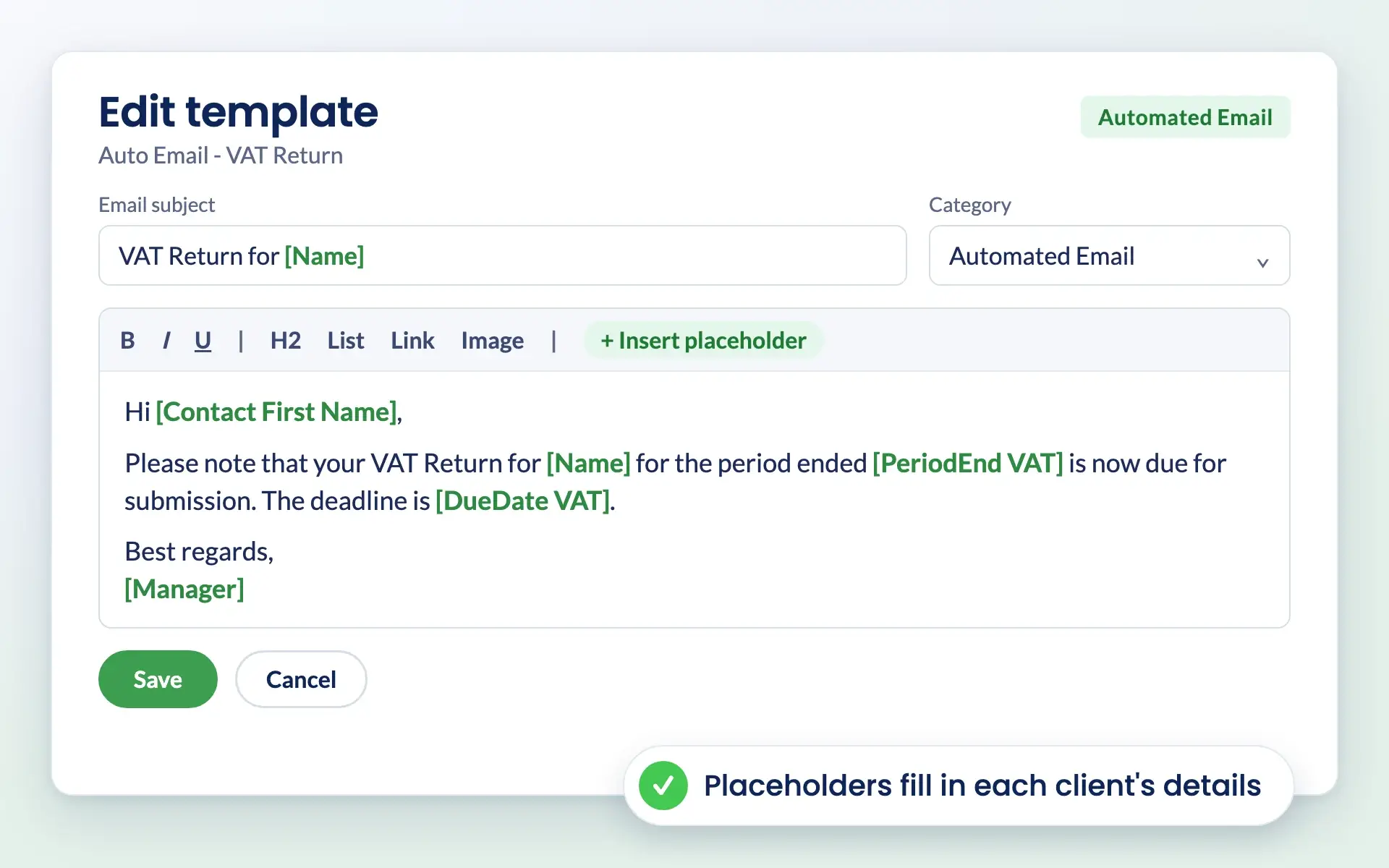
Create templates for the emails you send most, such as VAT return reminders or payroll information requests. Add your branding and your tone, and use placeholders so every email carries the right client details.

Use custom fields as placeholders

Engager email template for a VAT return reminder with placeholders for client name and due date

Choose what triggers each email

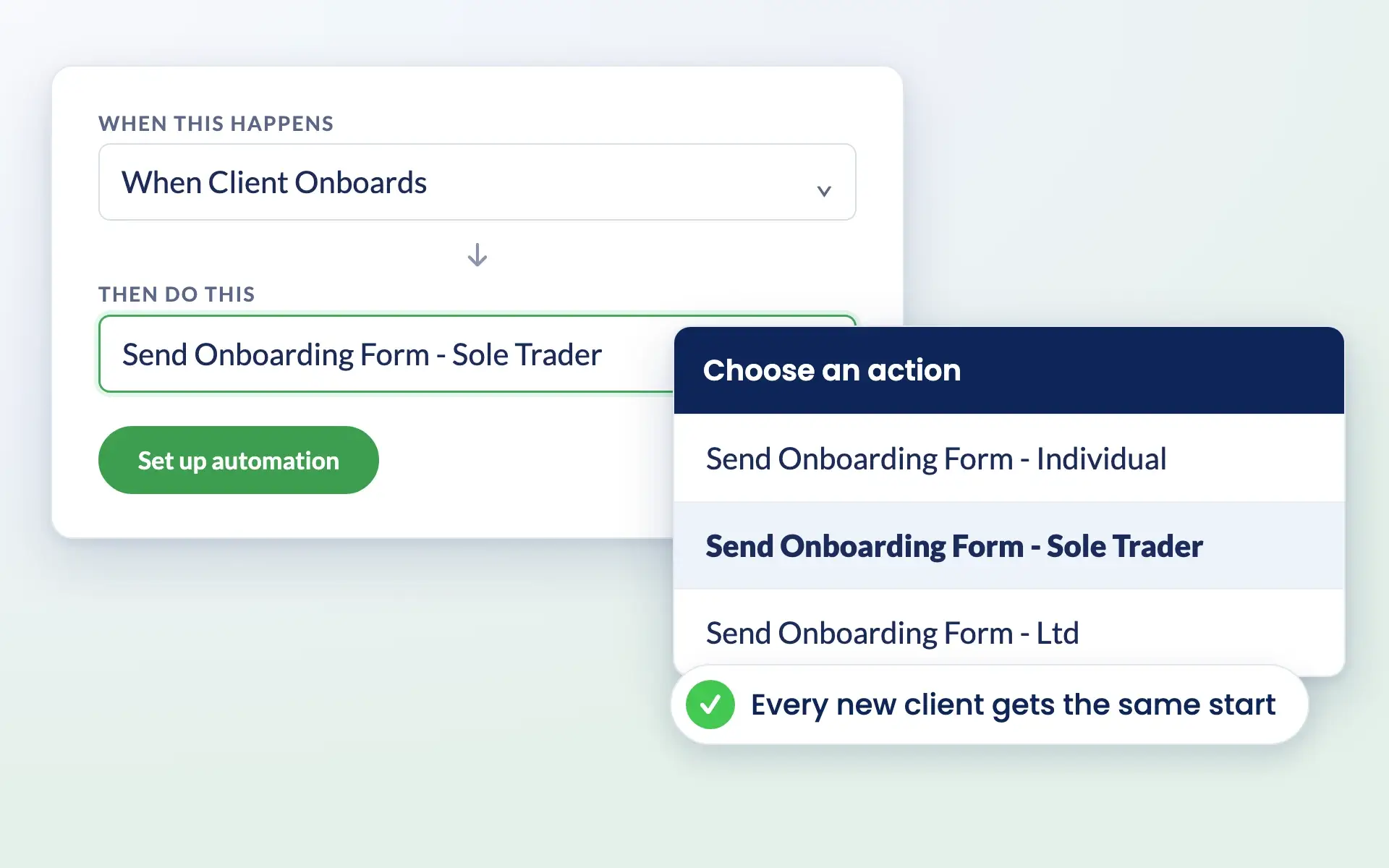
Send emails in relation to every service based on its deadline date, or when individual job phases are marked as complete. You decide whether each email is reviewed before it goes or sent automatically.

See how job phases work

Engager automation that sends a sole trader onboarding form when a new client onboards

Keep every reply in context

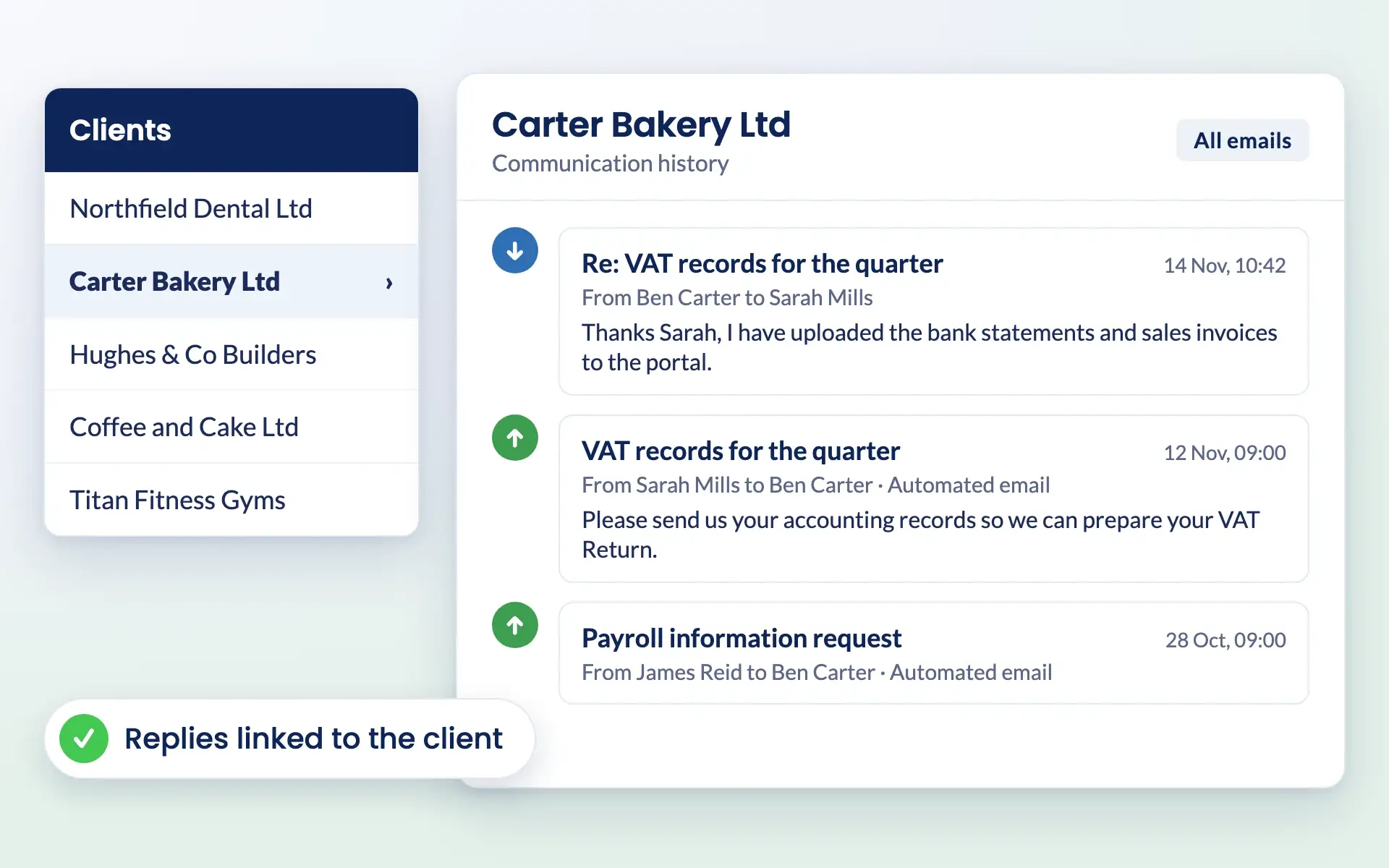
When a client replies, the email is linked to their profile in Engager, so anyone in your team can pick up the conversation. Connect Microsoft 365 or Gmail for two-way email sync.

Explore email integration

Client communication history in Engager with replies linked to Carter Bakery Ltd
Try it free for 28 days

No card details required. Every feature included.

Common challenges

Problems automated emails solve

Hours lost to routine emails

Reminders and record requests go out on time without anyone in your team having to write them.

Clients leaving things late

Deadline-based triggers mean clients hear from you in good time, every time.

Inconsistent messages across the team

Shared templates keep every email in your firm’s brand and tone, whoever is responsible for the client.

Replies scattered across inboxes

Client replies are linked to their profile, so the full history sits in one place for easy follow-up.

Reviews

Rated Excellent by accountants and bookkeepers

4.6 out of 5 from 199 reviews on Trustpilot, 181 of them five stars.

Read all reviews on Trustpilot
“Moved over from another practice management system and I’m so pleased I did. My only complaint is why I didn’t do it sooner!”
Fiona · Verified Trustpilot review, April 2025
“Finally found a practice management software that ticks every box and keeps us on track with deadlines, jobs, onboarding and billing.”
Rosevale Accountants Ltd · Verified Trustpilot review, February 2025
“It keeps everything in one place, and has taken a lot of admin stress off our plate. It was built by an accountant for accountants, and you can really tell.”
Jana W · Verified Trustpilot review, February 2026

Questions

Automated Email FAQs

Can I customise my email templates?

Yes. You can fully customise templates to include your branding and personal touches.

What triggers can I use for automated emails?

You can trigger automated emails in relation to every service based on the deadline date. You can also trigger emails to be sent once individual phases are marked as complete.

Can I review emails before they are sent automatically?

Yes. You can choose to review emails before they are sent, or allow them to send automatically based on predefined triggers.

Can I use placeholders to personalise automated emails?

Yes. Placeholders such as client name, service details and deadlines can be added to personalise every email.

Does Engager handle email replies from clients?

Yes. Client replies are linked to their profiles within Engager for easy tracking and follow-up.

Is automated email included in every plan?

Yes. Every Engager subscription includes every feature and unlimited users. Pricing is based on how many clients you have, from £9 +VAT a month, and you can try it free for 28 days with no card details required.

Are automated emails included in every Engager plan?

Yes. Automated emails are included in every Engager plan, along with every other feature and unlimited users, from £9 +VAT a month. You can try them free for 28 days with no card details required.

Pricing

Practice management software pricing, made simple.

One price for your whole practice, based on how many clients you look after. Every feature and unlimited users included.

Work out your price

Enter your number of clients or drag the slider.

250 clients
1 client30,000+ clients
For small teams
£89+VAT
a month

Billed monthly.

  • Secure client portal
  • eSigning capabilities
  • Mobile app access
  • Branded client experience
  • Automated emails
  • Task management
  • Document templates
  • Unlimited users
  • UK-hosted, Cyber Essentials certified
Start free 28-day trial

No card details required.

Compare plans in full →
✓New client signed✓Deadline met

Get started

Ready for a calmer practice?

Try every feature free for 28 days. Our team will help you import your clients and set up your services.

Newsletter

Be the first to know.

Product updates, events and practical tips for running your practice, straight to your inbox. No spam, unsubscribe any time.