







Custom Fields
Make Engager.app Work Your Way
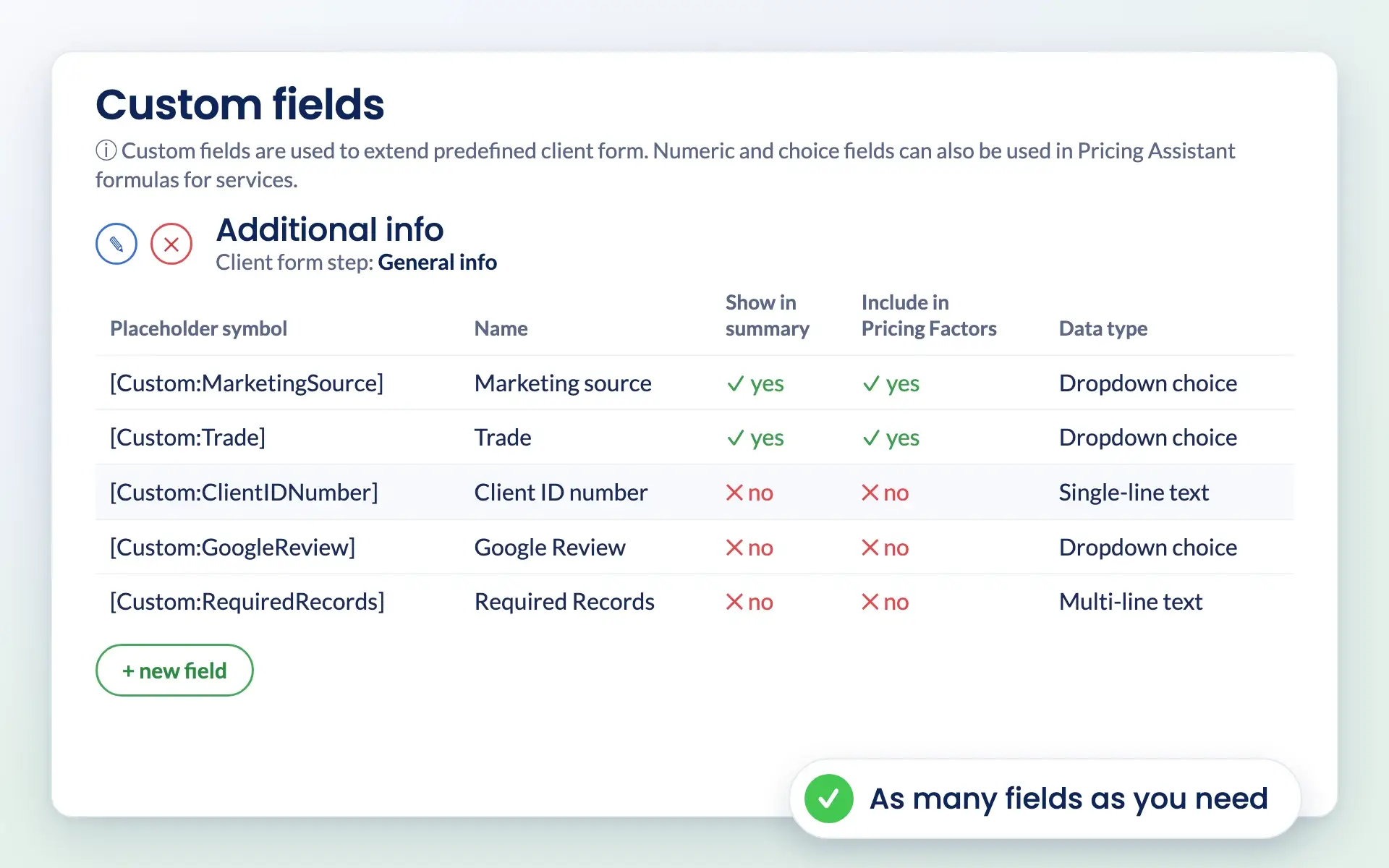
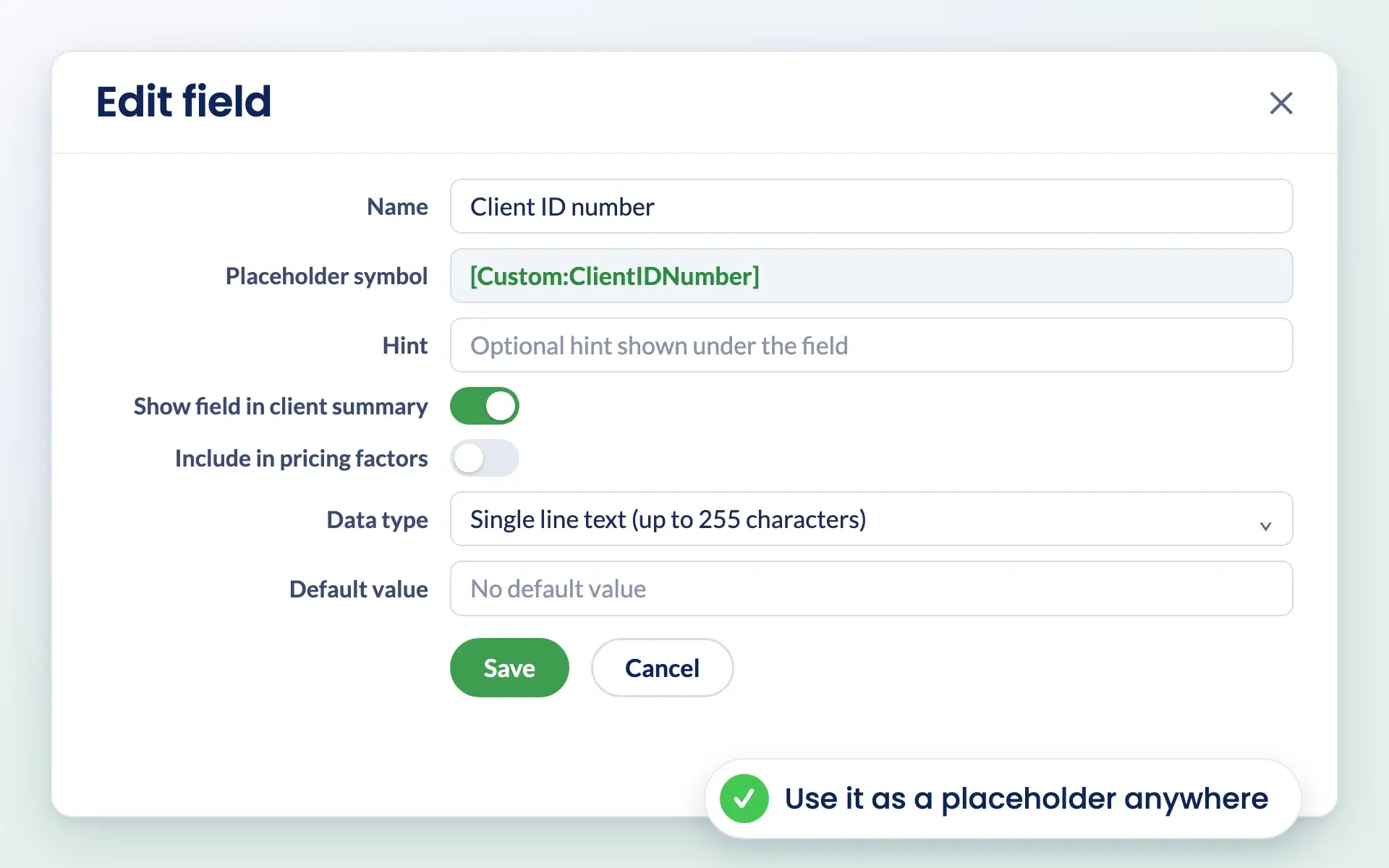
No more working around generic systems. With Engager.app’s Custom Fields, you can add your own fields, store unique client data, personalise emails with placeholders, and even use fields as pricing drivers.

Ditch the chaos
Customise, Automate, and Drive Value
Add tailored custom fields across clients, jobs and services to capture what matters most to your firm. Use automation to push updates into workflows, reports and communications—helping you surface critical insights, maintain consistency, and make smarter decisions without extra effort.

Create Fields That Fit Your Workflow
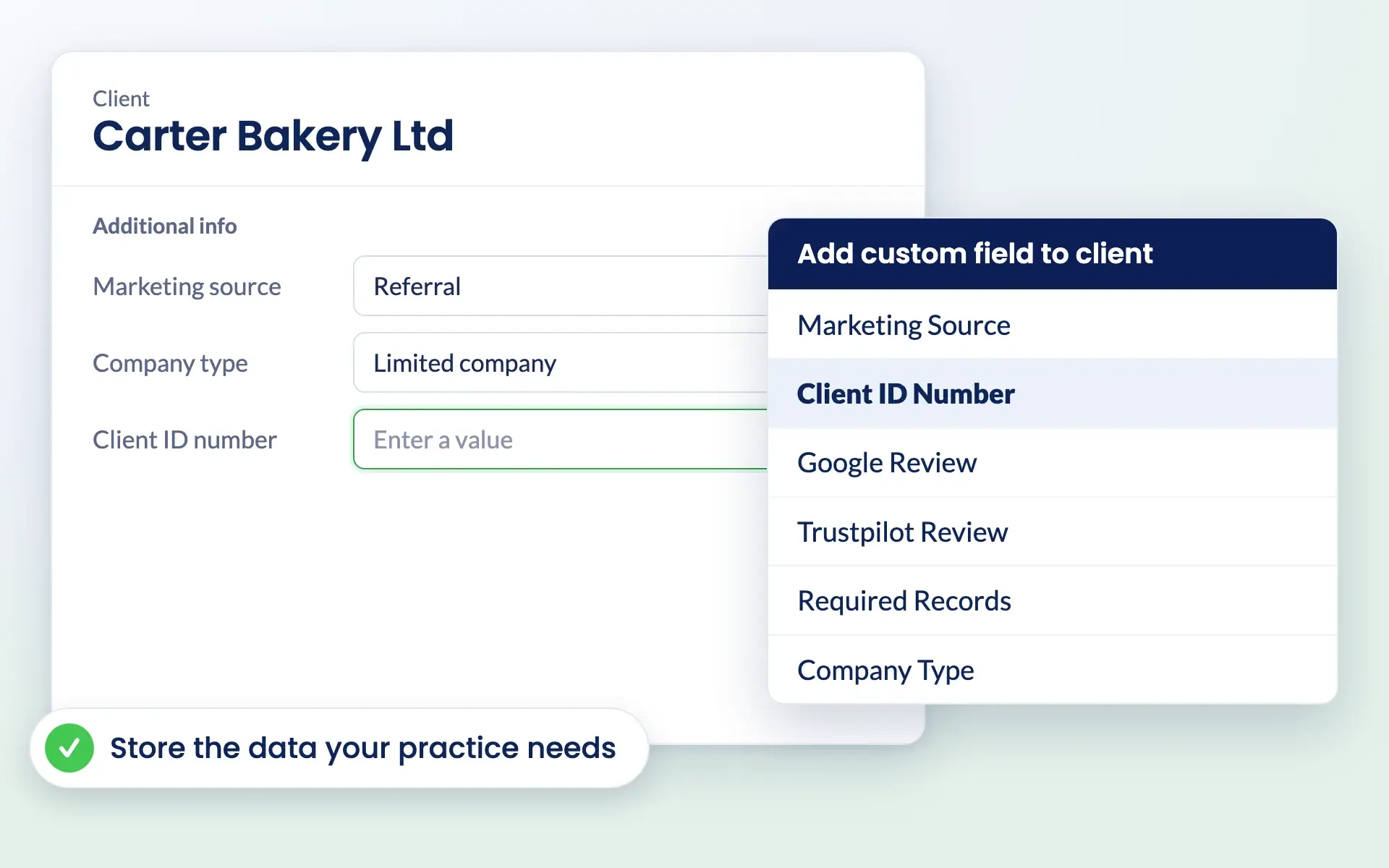
Every accounting and bookkeeping practice has its own processes. Engager.app lets you create custom fields to store critical data like “Annual Turnover,” “Number of Transactions,” or “Company Type.” Use this data to enhance workflows, communications, and pricing strategies.
Built by Accountants and Bookkeepers.
For Accountants and Bookkeepers

Unlimited Flexibility for Your Processes
Add the fields you need—no restrictions. From client-specific information to project tracking, Custom Fields ensure your team captures and stores data that truly matters to your practice. Build workflows tailored to your processes and goals.

utomate Emails with Placeholders
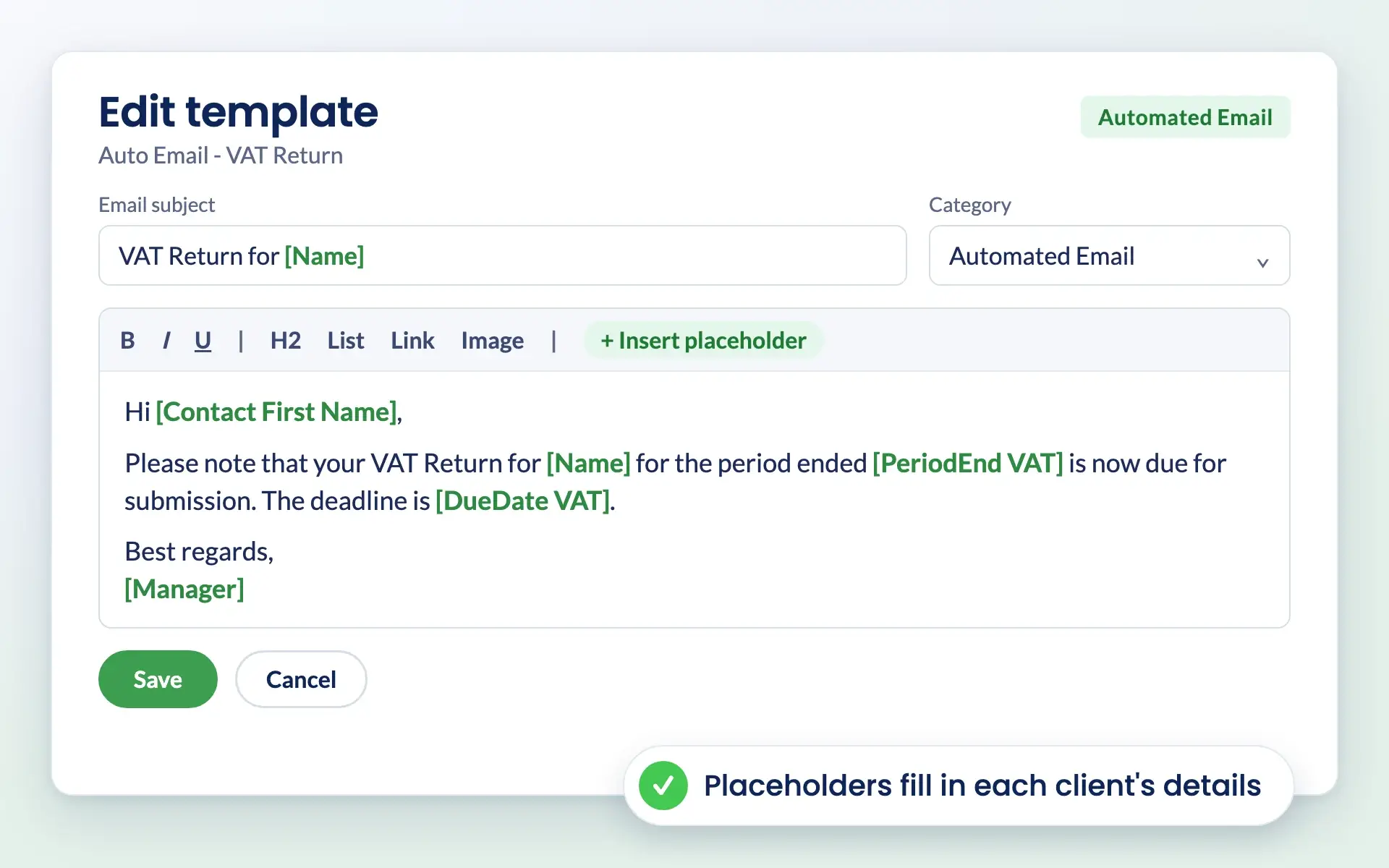
Stop manually inputting client details into emails. Use your Custom Fields as placeholders to personalise emails at scale. Whether it’s names, financial data, or onboarding specifics, your communications stay consistent, accurate, and professional.

Drive Service Pricing with Custom Fields
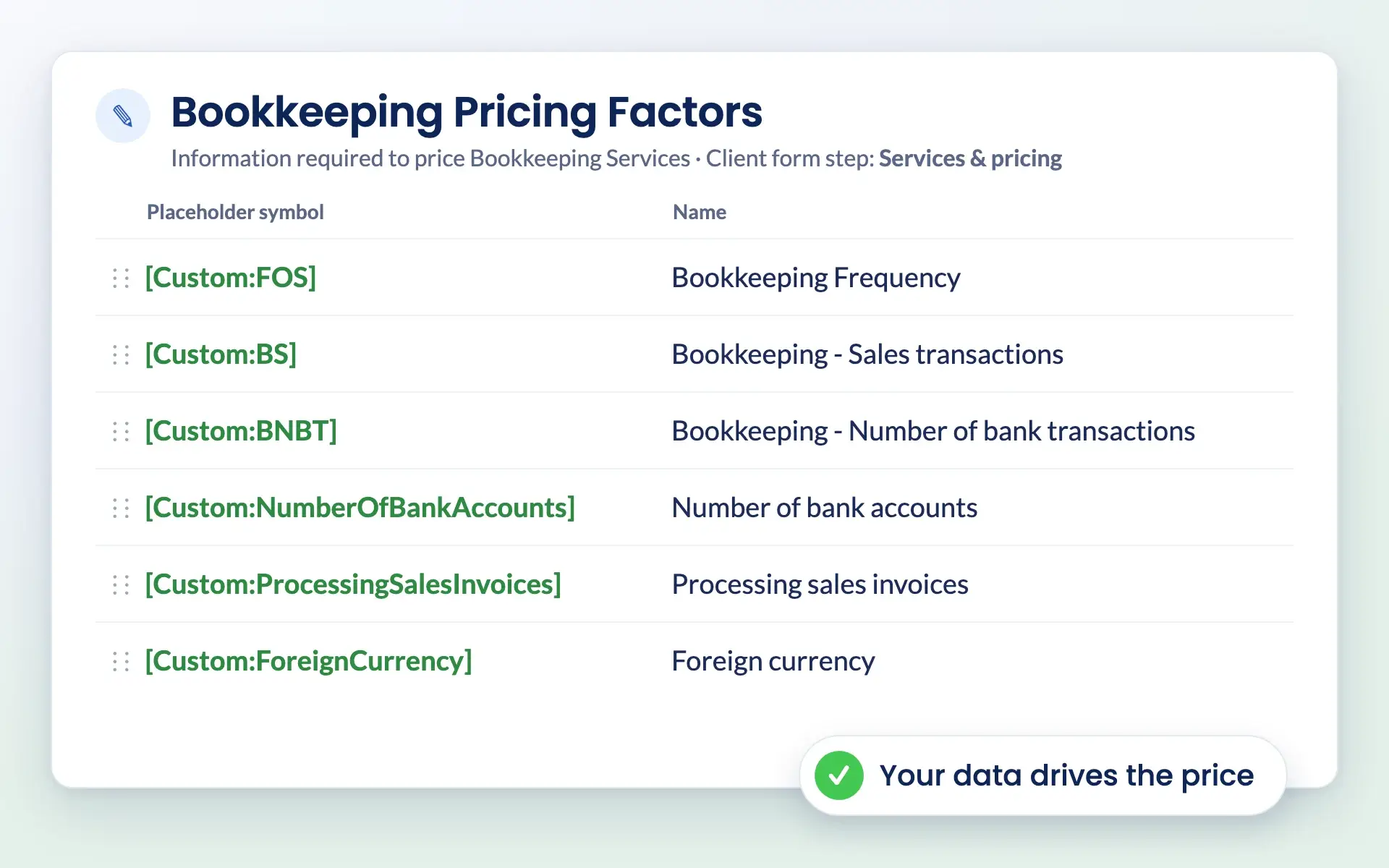
Turn Custom Fields into pricing drivers that help with quotes and pricing. Set fields like “Number of Employees” or “Turnover” to influence the cost of your services, creating fair, accurate, and scalable pricing without manual calculations.
Discover Why Over 1,000 Firms Across the UK Have Made the Switch
Our Experience
By the Numbers
Join over 2,000 accountants and bookkeepers already saving time and boosting client experience with Engager.
Accountants and Bookkeepers Actively Using Engager
Pre-Built
Auto Emails
5 Star
Reviews
Clients
Supported
Struggling with Generic, One-Size-Fits-All Systems?
Engager.app’s Custom Fields let you define the data that matters most. No more trying to fit unique workflows into rigid systems—build processes that truly work for your practice.


Spending Too Much Time Personalising Emails?
With placeholders powered by Custom Fields, you can automate email personalisation. Input client-specific data seamlessly and send accurate, tailored emails every time.
Is Pricing Your Services a Manual Headache?
Use Custom Fields as pricing drivers to automate quotes based on values like turnover, employee count, or transaction volume. Save time, improve accuracy, and ensure transparent pricing.


Need to Collect Information in Bulk?
Leverage Custom Fields within Engager.app’s forms to collect data from clients efficiently. Populate fields automatically and centralise key information, reducing manual data entry.
Testimonials
Don’t Just Take Our Word For It
You’ve got the questions
We Have the Answers
We’re here to make switching easy. If you’re wondering how Engager fits your practice, you’ll find the answers below.
Still not sure? Email support@engager.app any time, we’re always happy to help.
Subscriptions that
don't break the bank
Our subscriptions are scalable for any size practice, starting at £9+VAT per month.
Check out our pricing matrix to see how affordable our plans can be for your firm.
What are Custom Fields, and how can I use them?
Custom Fields allow you to create unique data points to store client or project information. They can be used for workflows, email placeholders, pricing calculations, and data collection forms.
Can I use Custom Fields to personalise emails?
Yes! Custom Fields can be referenced as placeholders in your emails, ensuring accurate, automated personalisation for your clients.
How do Custom Fields work as pricing drivers?
You can set values in your Custom Fields, like “Number of Employees,” to influence your service pricing. This automates quotes and ensures consistent, scalable pricing.
Can I collect data for Custom Fields using forms?
Absolutely. You can gather information in bulk by creating client-facing forms that automatically populate your Custom Fields.
Are there limits on how many Custom Fields I can create?
No. Engager.app gives you the freedom to create as many fields as you need to match your practice’s workflows.
PRICING
Clear And Honest Pricing
Enjoy unlimited users at no extra cost.
Work out your price
Enter your number of clients or drag the slider.
billed monthly