







Features / Job Phases

Job tracking software for accountants & bookkeepers, built on job phases

Split each service into clear phases, give every phase an owner and a time budget, and see exactly where each job stands. Your team always knows what comes next.

No card details required. Every feature and unlimited users included, from £9 +VAT a month.

Watch the demo

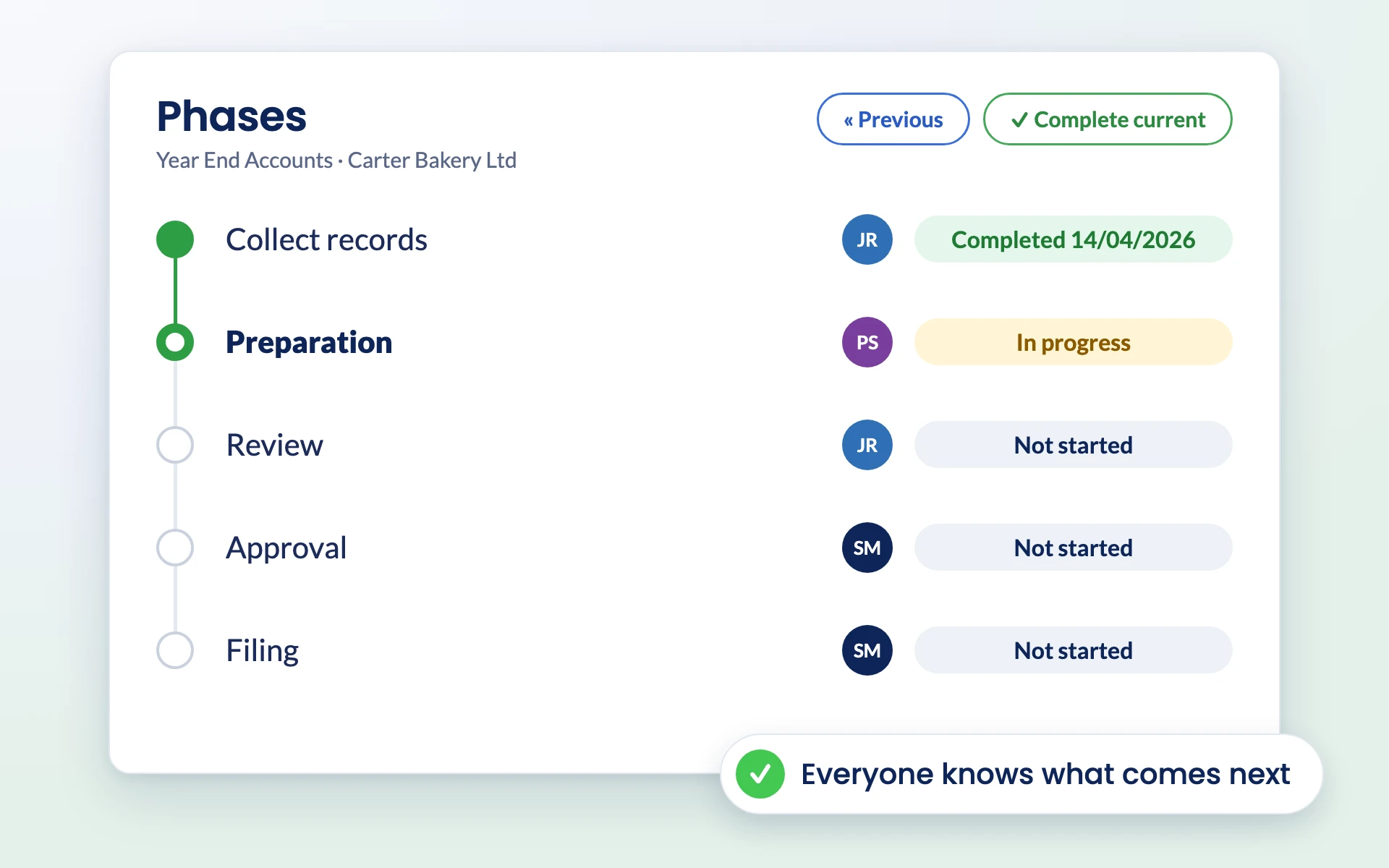
Job phases in Engager from collect records to filing, each with an owner

Job phases

Streamline every service with job phases

Break your services into clear, manageable phases that guide your team from beginning to end. With defined steps and progress tracking, you cut confusion and keep every job running on time.

Step-by-step service management

Break services into structured phases, whether it is a complex tax return, onboarding or a bookkeeping project. Assign phases, track budgets and make sure every team member knows their role.

See pricing

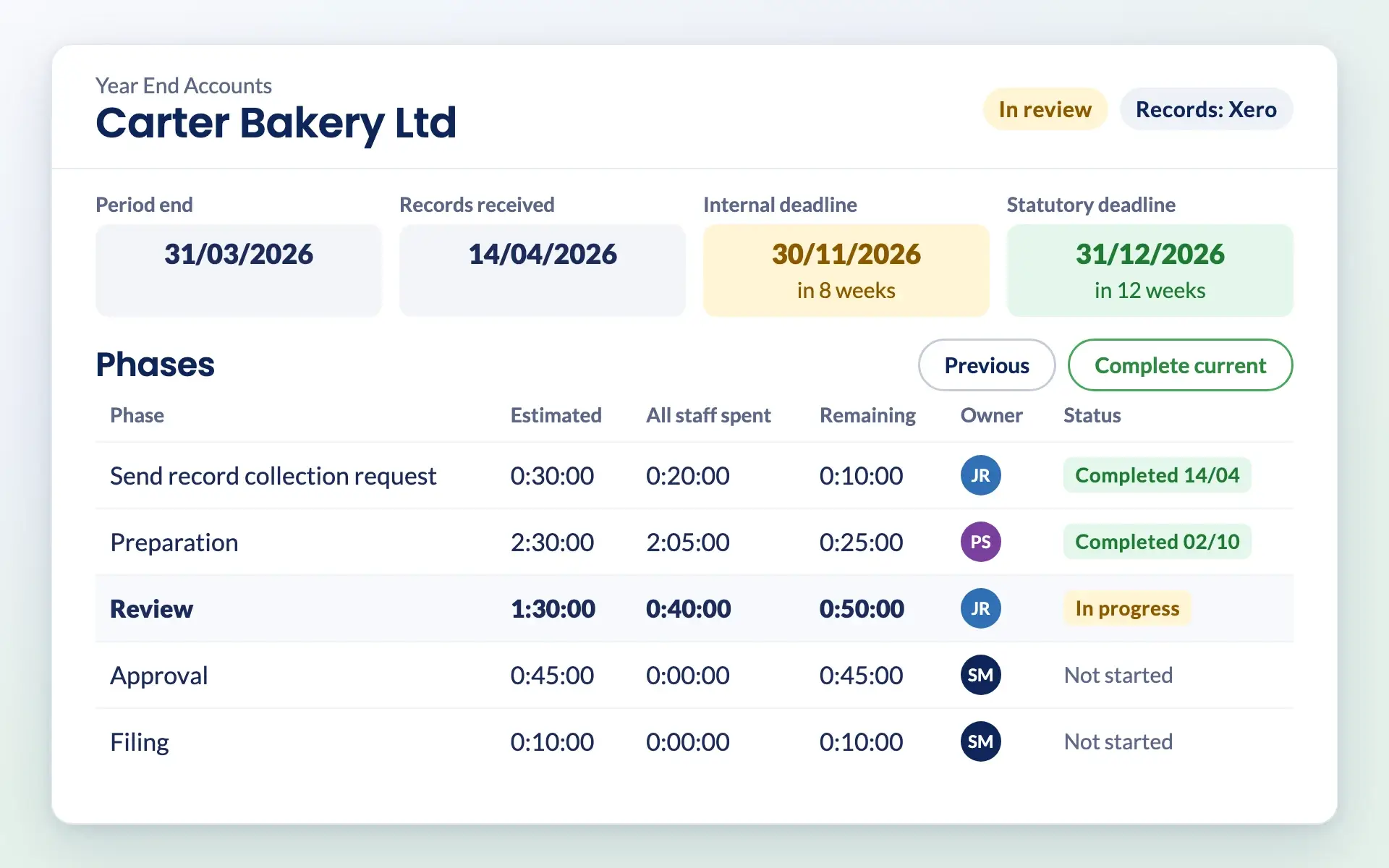
Engager job record with deadlines, checklist progress and phases with time budgets

How it works

How job tracking works in Engager

Assign each phase to the right person

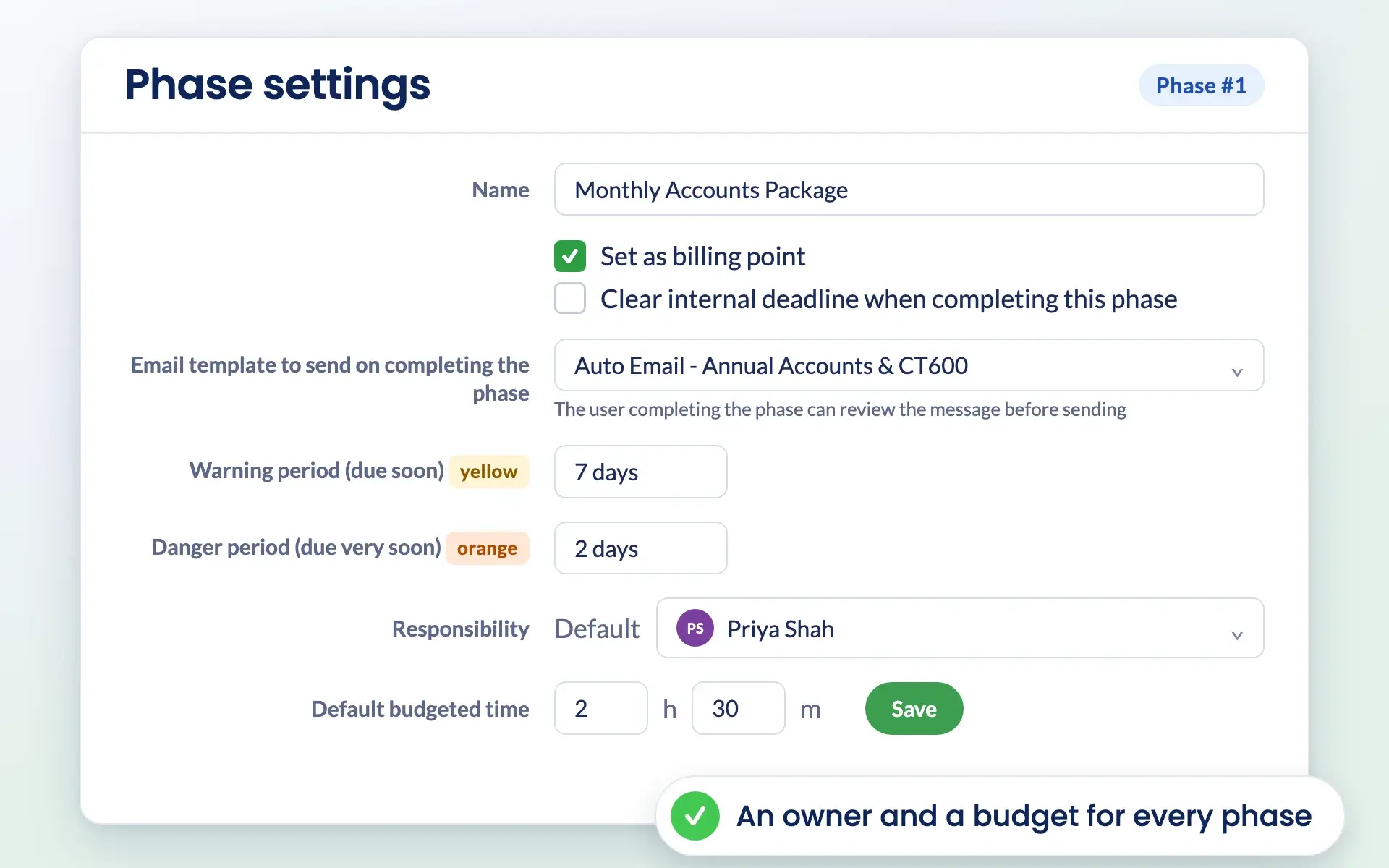
Each phase of a service can be assigned to a different team member, so ownership is clear and everyone knows their part in the job.

Engager phase settings with billing point, email template, warning periods and budgeted time

Allocate time budgets and track profitability

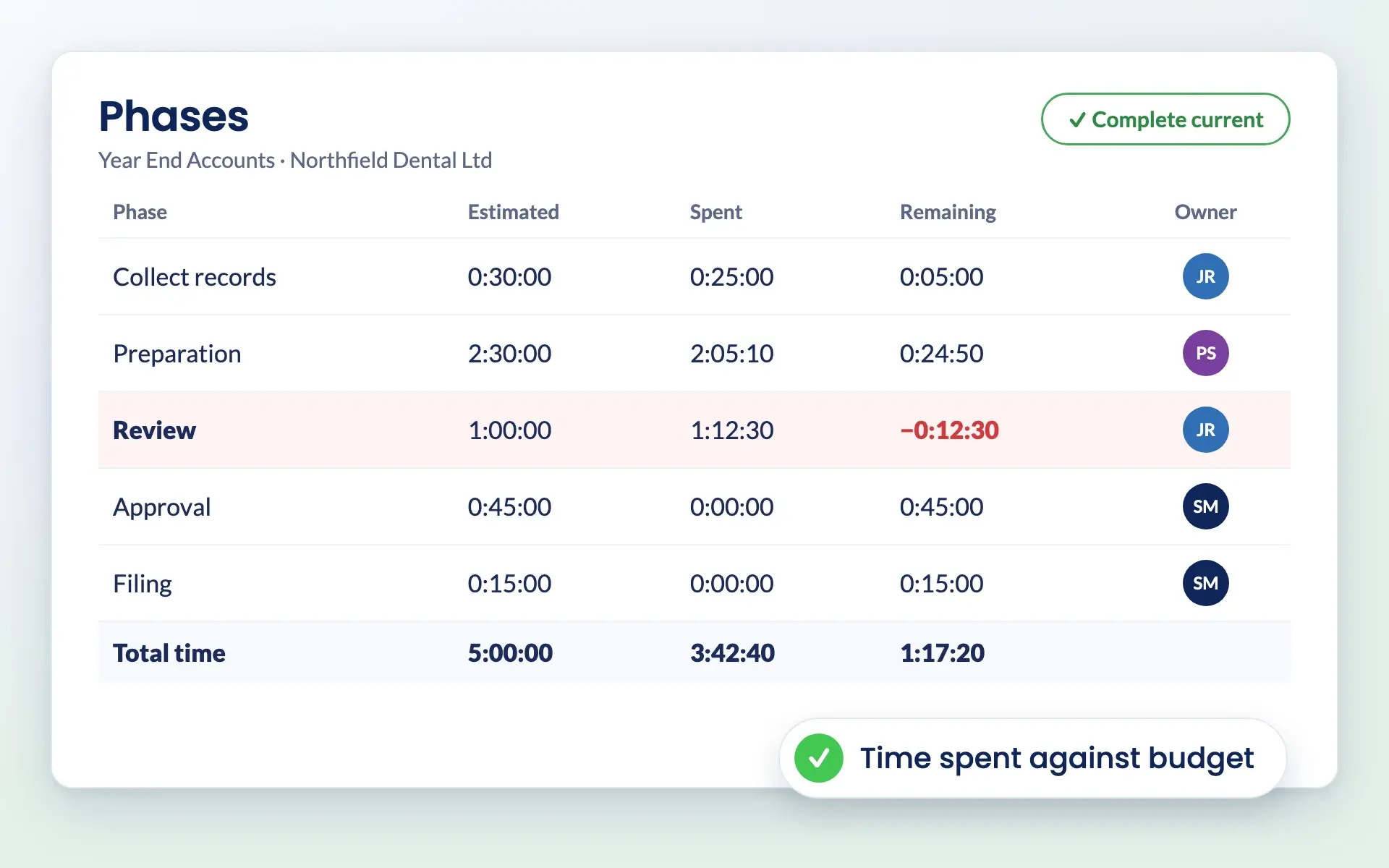
Set a time budget for each phase. Staff record time against phases, so you can see where time is going and how each job is performing financially.

Job phases in Engager with estimated time, time spent and time remaining

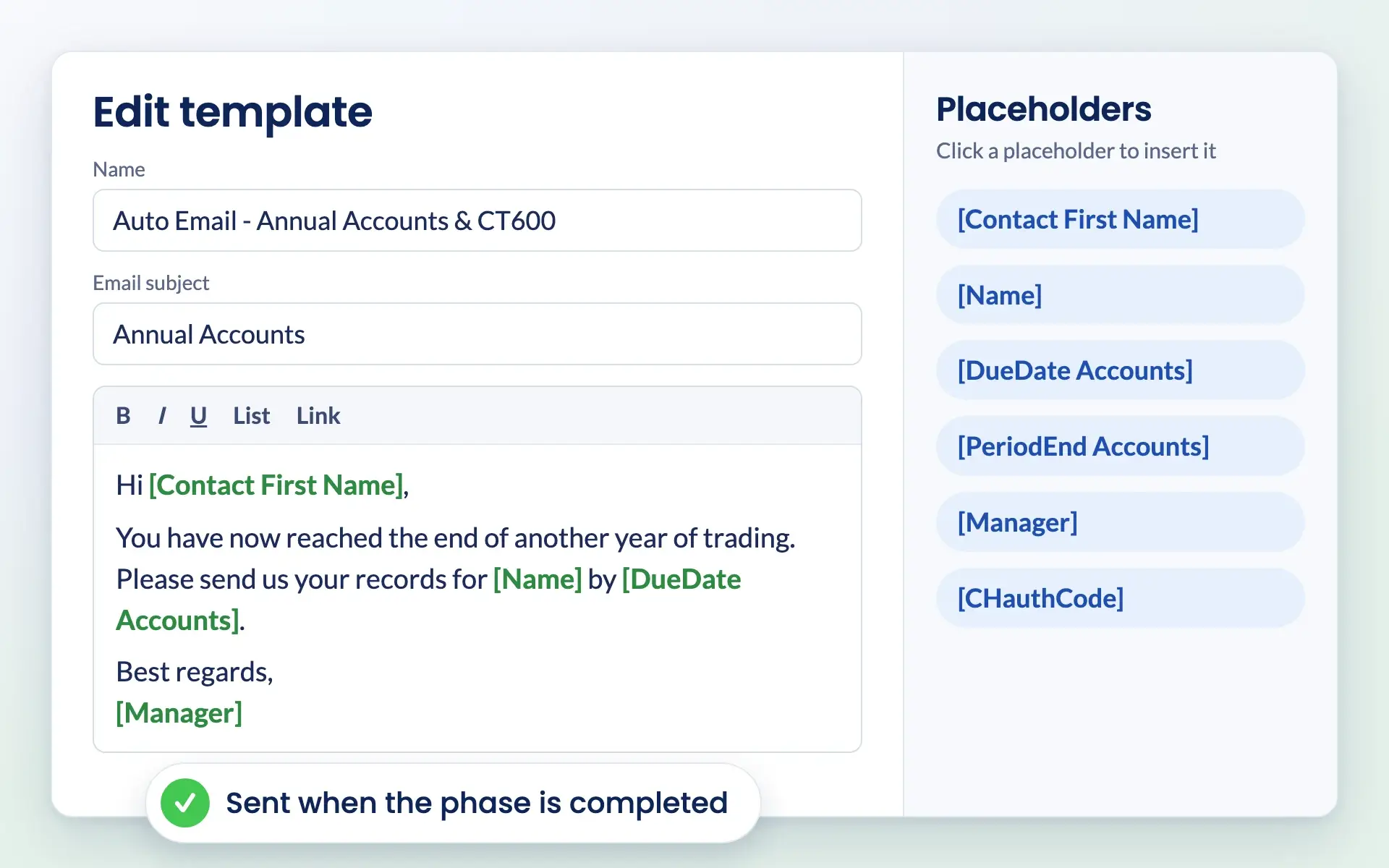
Standardise client updates with phase emails

When a phase is completed, Engager can prompt staff to send a pre-written email to the client. Communication stays consistent and clients are kept in the loop.

Automated email template in Engager with a list of placeholders to insert

Common challenges

Problems job phases solve

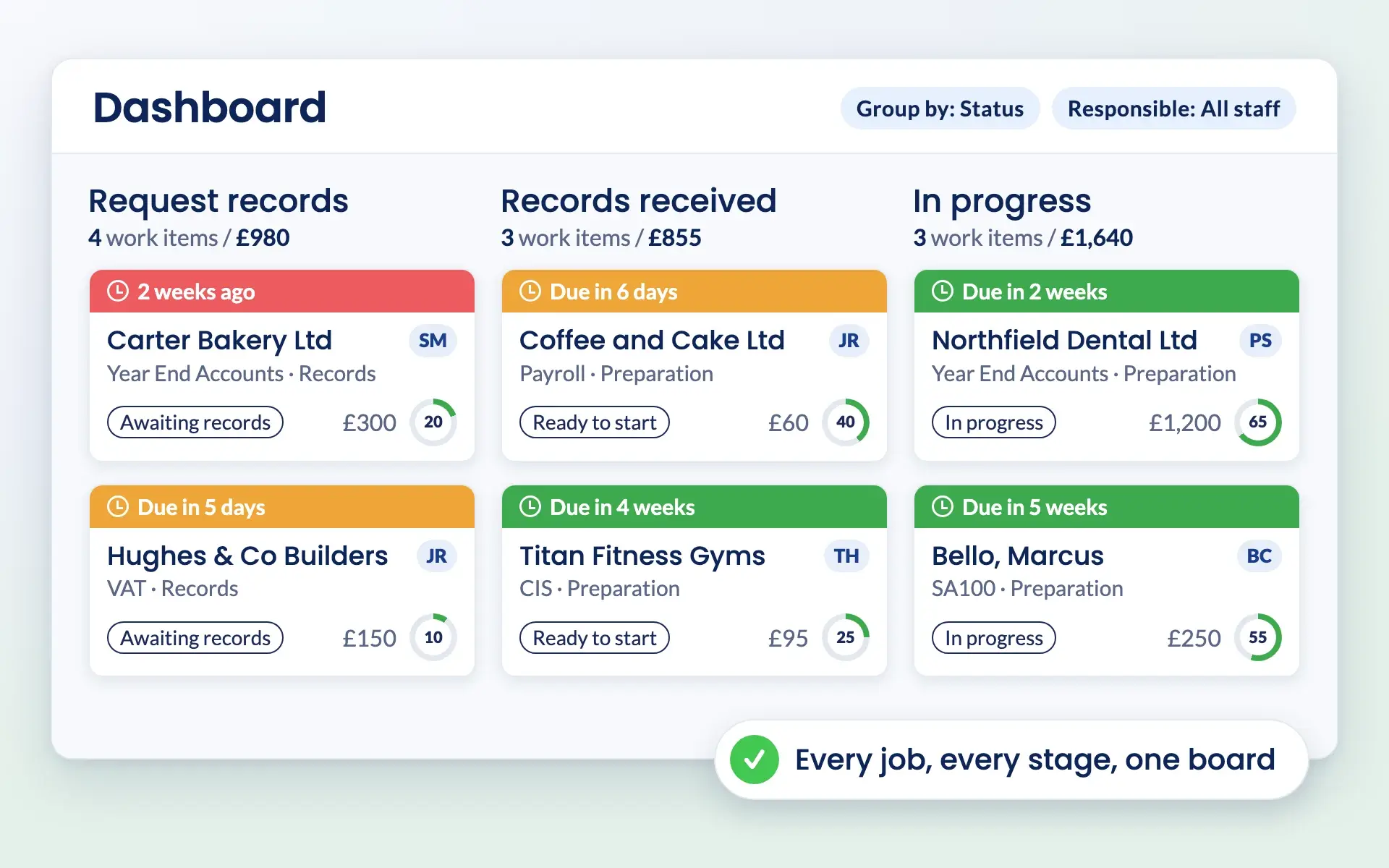
Engager dashboard with work items in columns from request records to in review

Are your services hard to manage at scale?

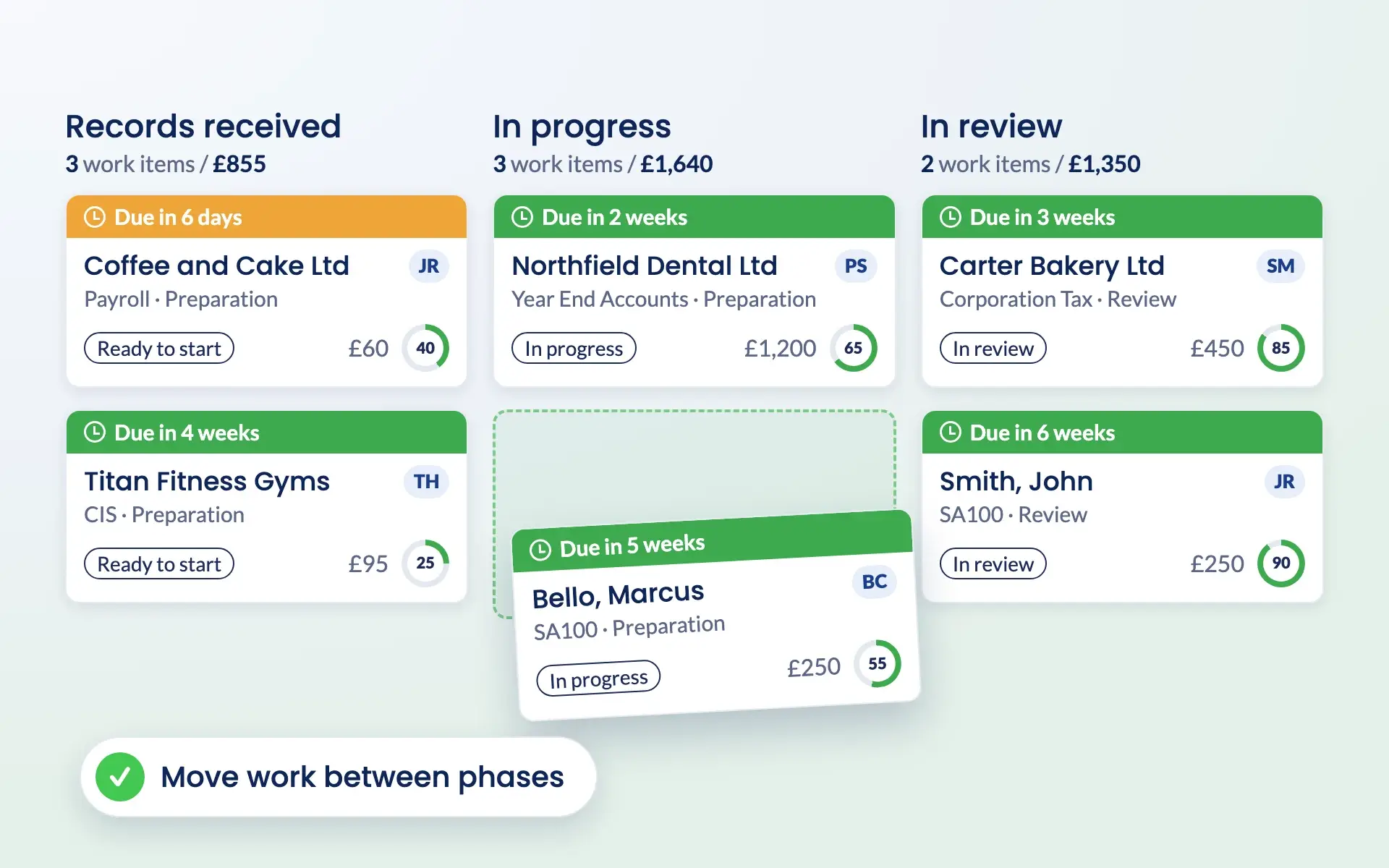
Job phases break large jobs into manageable steps, so it is easier to assign responsibilities and see the whole service at a glance.

Moving a work item between columns on the Engager Kanban board

Struggling to track time and profitability?

Allocate time budgets for each phase and let staff record their time. See the profitability of every service and phase.
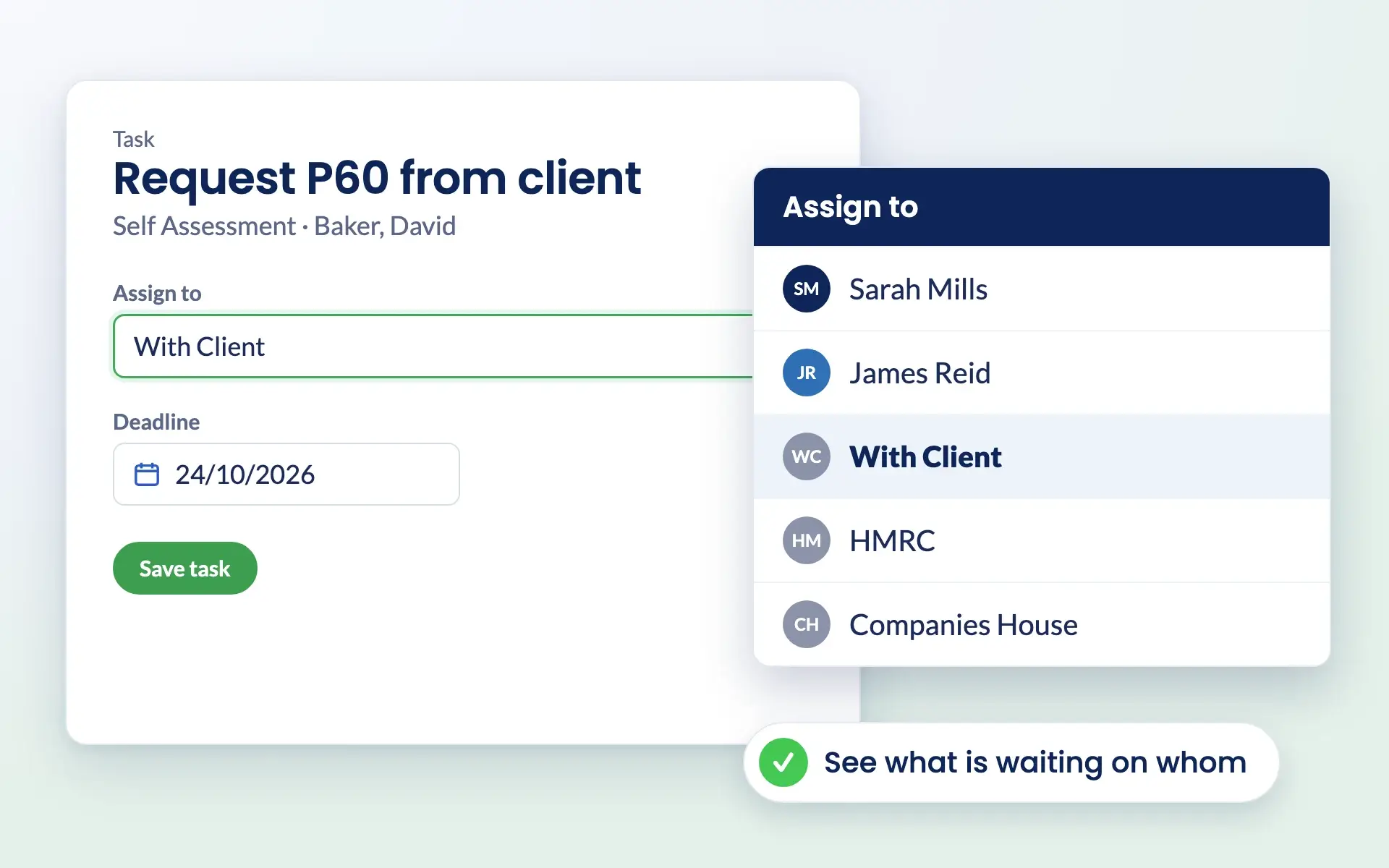
Assigning a task in Engager to a placeholder user such as With Client

Is team collaboration falling apart?

Assign phases clearly, so work does not overlap and everyone knows their role in the process.
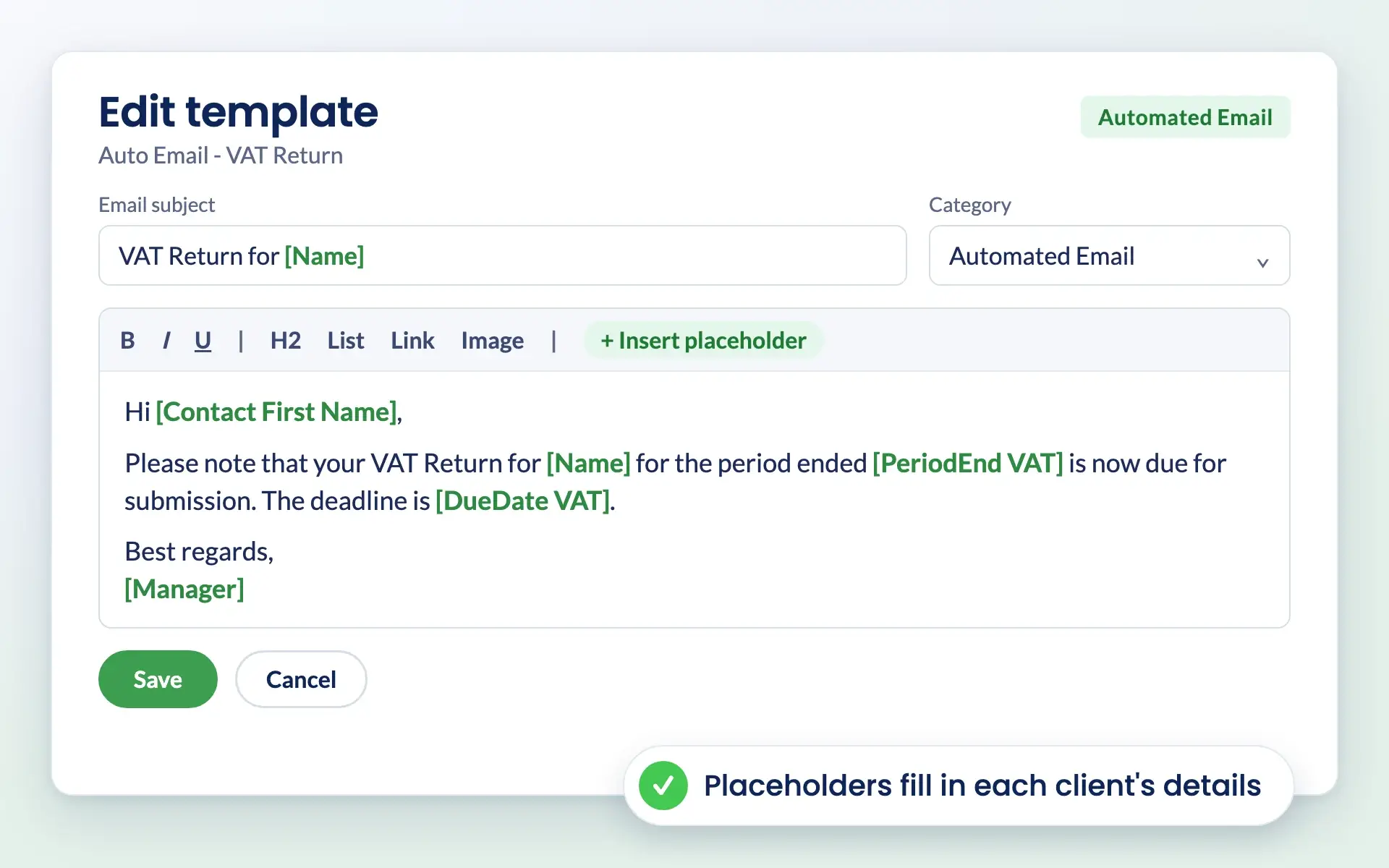
Engager email template for a VAT return reminder with placeholders for client name and due date

Missing chances to standardise communication?

Prompts at phase completion remind your team to send standard client emails, so clients stay updated without extra effort.

Reviews

Rated Excellent by accountants and bookkeepers

4.6 out of 5 from 199 reviews on Trustpilot, 181 of them five stars.

Read all reviews on Trustpilot
“Moved over from another practice management system and I’m so pleased I did. My only complaint is why I didn’t do it sooner!”
Fiona · Verified Trustpilot review, April 2025
“Finally found a practice management software that ticks every box and keeps us on track with deadlines, jobs, onboarding and billing.”
Rosevale Accountants Ltd · Verified Trustpilot review, February 2025
“It keeps everything in one place, and has taken a lot of admin stress off our plate. It was built by an accountant for accountants, and you can really tell.”
Jana W · Verified Trustpilot review, February 2026

Questions

Job phases FAQs

What are job phases in Engager?

Job phases let you break a service into smaller steps, assign phases to team members, allocate time budgets and track completion, which improves collaboration and visibility.

How do job phases help with profitability?

Staff record time against each phase, and you can compare actual time with the allocated budget. That gives you a clear picture of profitability for each phase and for the whole service.

Can I assign phases to different team members?

Yes. Each phase can be assigned to a specific team member, so ownership is always clear.

How do automated emails work with job phases?

Once a phase is marked as complete, Engager can prompt the user to send a pre-defined email to the client, so communication is consistent and timely.

What types of services can be broken into job phases?

Any service, from tax returns and client onboarding to payroll and complex accounting projects.

Is job tracking included in my subscription?

Yes. Every Engager subscription includes every feature and unlimited users. Pricing is based on the number of clients you manage, from £9 +VAT a month, and you can try it free for 28 days with no card details required.

Are job phases included in every Engager plan?

Yes. Job phases are included in every Engager plan, along with every other feature and unlimited users, from £9 +VAT a month. You can try them free for 28 days with no card details required.

Pricing

Practice management software pricing, made simple.

One price for your whole practice, based on how many clients you look after. Every feature and unlimited users included.

Work out your price

Enter your number of clients or drag the slider.

250 clients
1 client30,000+ clients
For small teams
£89+VAT
a month

Billed monthly.

  • Secure client portal
  • eSigning capabilities
  • Mobile app access
  • Branded client experience
  • Automated emails
  • Task management
  • Document templates
  • Unlimited users
  • UK-hosted, Cyber Essentials certified
Start free 28-day trial

No card details required.

Compare plans in full →
✓New client signed✓Deadline met

Get started

Ready for a calmer practice?

Try every feature free for 28 days. Our team will help you import your clients and set up your services.

Newsletter

Be the first to know.

Product updates, events and practical tips for running your practice, straight to your inbox. No spam, unsubscribe any time.