







Features / Colleague Tagging

Team collaboration for accountants & bookkeepers, with colleague tagging

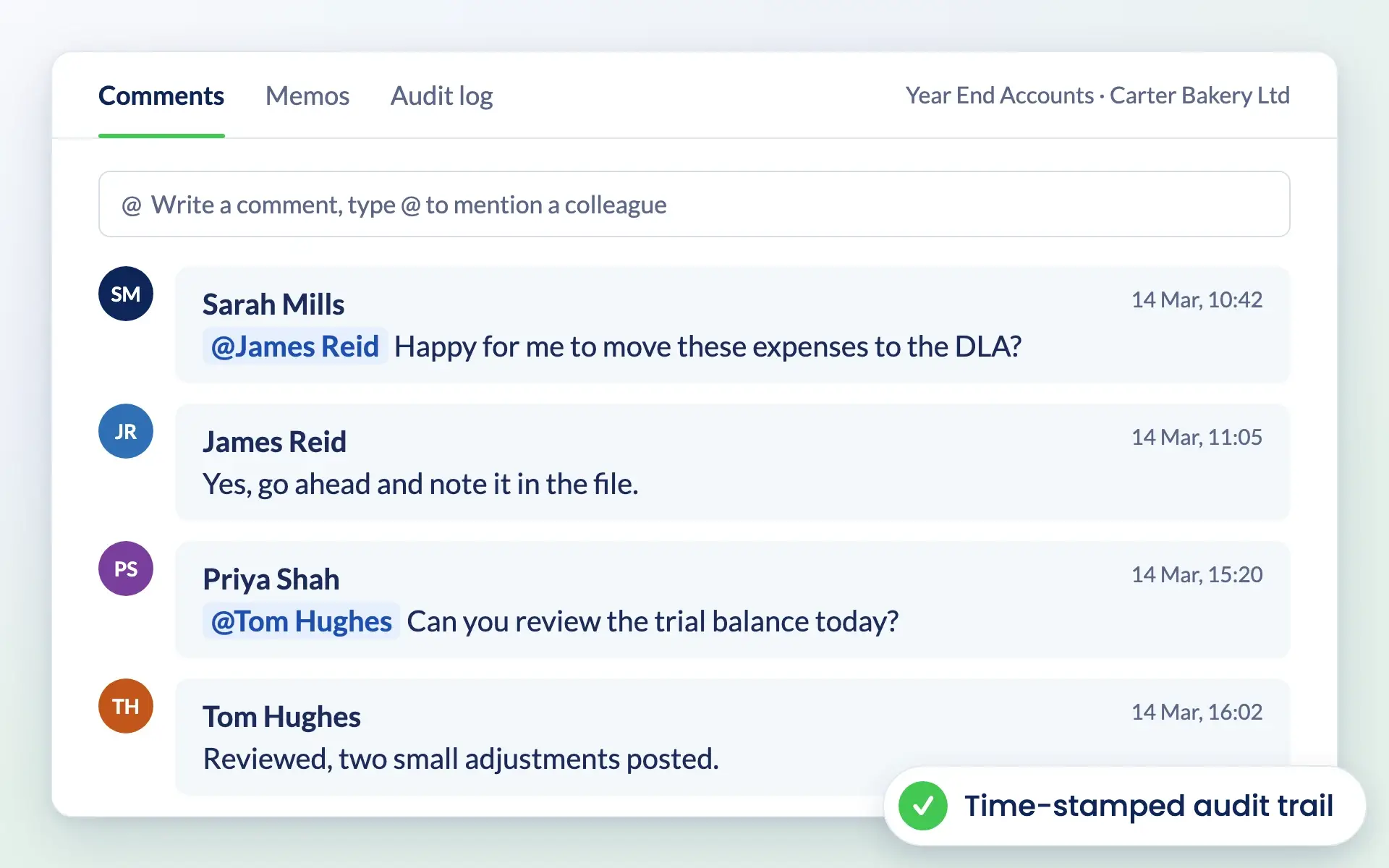
@mention team members on tasks, notes and services. They are notified straight away, and every comment is stored in a time-stamped audit trail you can revisit at any time.

No card details required. Every feature and unlimited users included, from £9 +VAT a month.

Watch the demo

Comments on a job in Engager with colleague mentions and time stamps

Work better together

Keep conversations where the work happens

When team communication is scattered across email and chat apps, context gets lost. Colleague tagging keeps every question, answer and decision on the task it relates to.

  • @mention colleagues on tasks, notes or services
  • Instant notifications in Engager, and optionally by email
  • A time-stamped audit trail you can revisit at any time
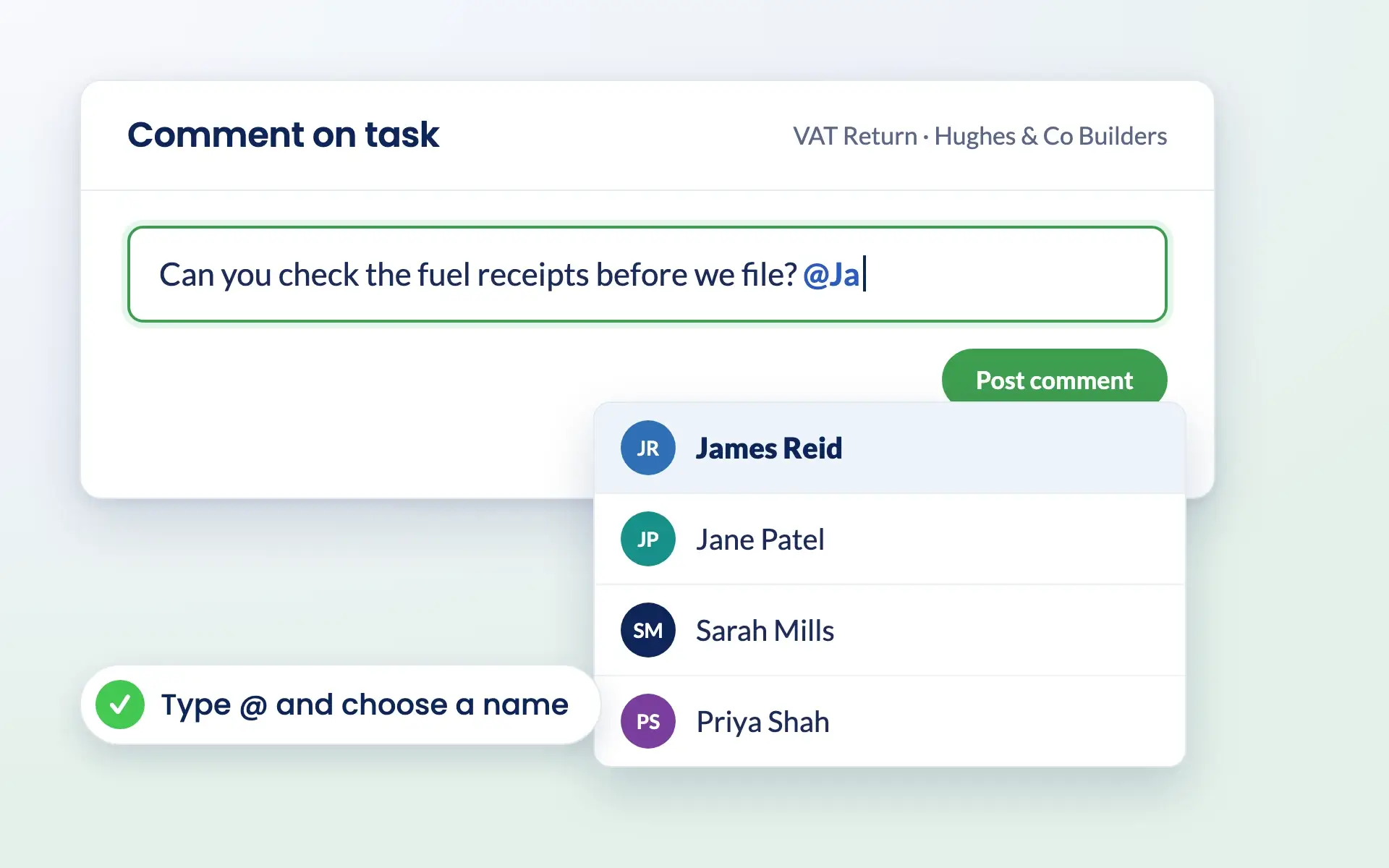
  • As simple as typing @ and choosing a name

See pricing for your practice

Typing @ in an Engager comment to choose a colleague to tag

How it works

How colleague tagging works

Tag a colleague, and the right person sees the right request in the right place.

Instant notifications

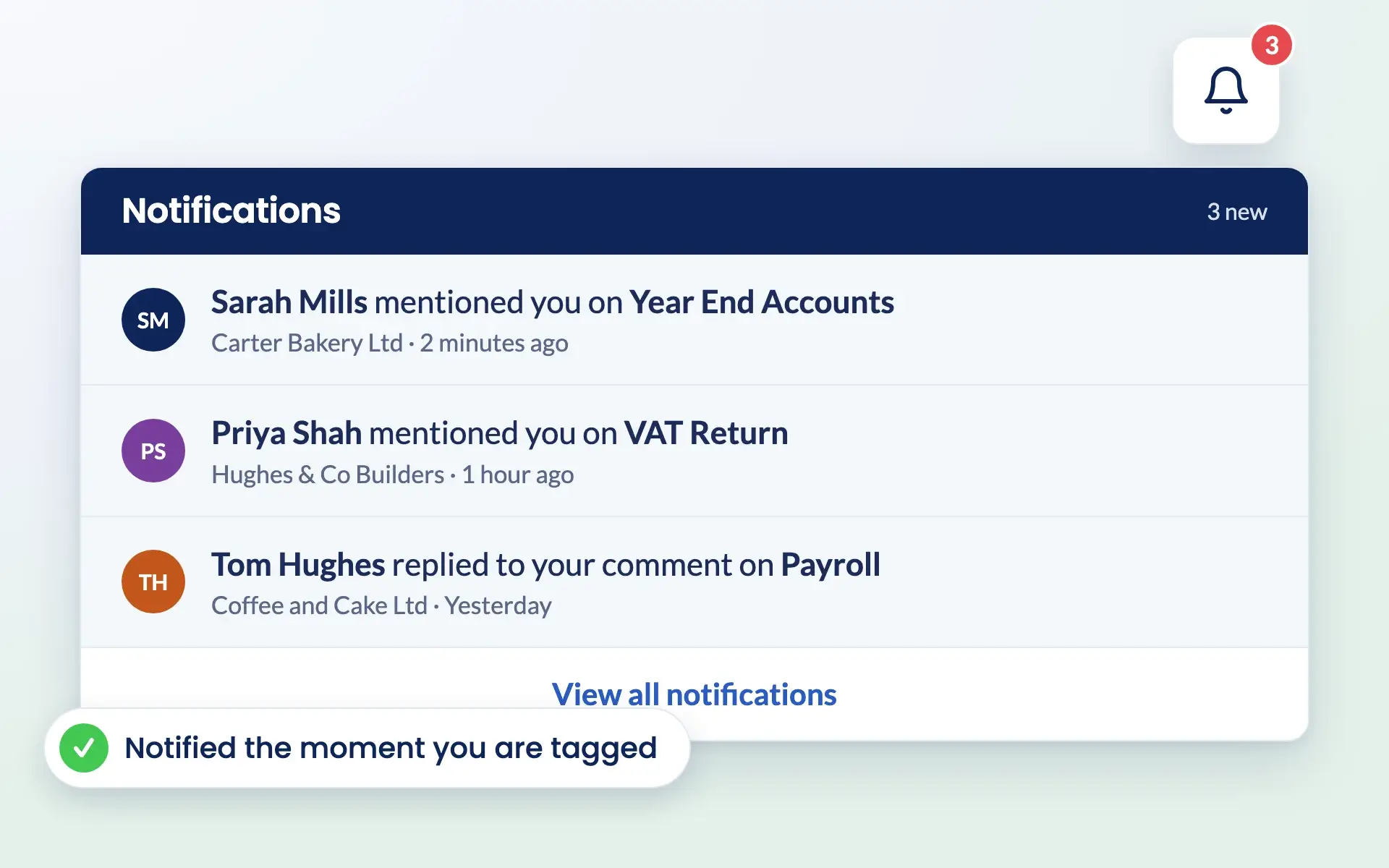
Tagged colleagues are notified as soon as you mention them, so they know exactly what needs their attention and work keeps moving.

Engager notifications showing colleagues who have mentioned you

Conversations in context

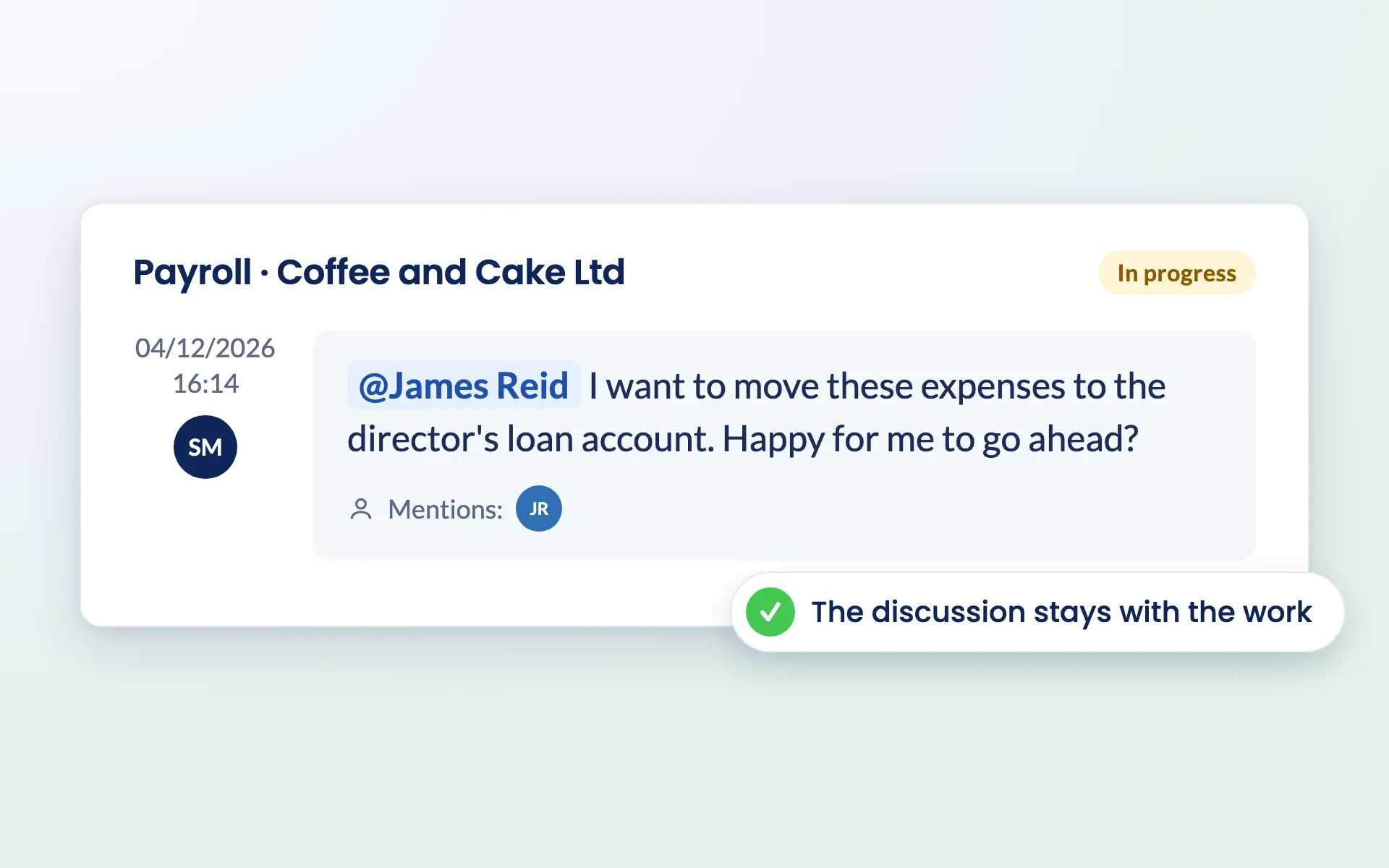
Comment directly within tasks, so the discussion sits alongside the work rather than in a separate inbox or chat app.

See how task management works

Comment on a payroll job in Engager asking a colleague to approve a change

A revisitable audit trail

Every tag and comment is stored and time-stamped. You can always see who was notified, when, and what action was requested.

Try it free for 28 days

No card details required. Every feature included.

Common challenges

Problems colleague tagging solves

Communication scattered across emails and chat apps

@mention colleagues directly on tasks, notes or services, so nothing gets lost in long threads.

Updates missed, causing delays

Tagging triggers an instant notification, so team members know exactly what needs their attention.

Hard to hold people accountable

Every tag and comment is recorded and time-stamped, so you know who was asked to do what, and when.

Decisions that are hard to trace later

A central audit trail lets you check decisions, notes and instructions without digging through old messages.

Reviews

Rated Excellent by accountants and bookkeepers

4.6 out of 5 from 199 reviews on Trustpilot, 181 of them five stars.

Read all reviews on Trustpilot
“Moved over from another practice management system and I’m so pleased I did. My only complaint is why I didn’t do it sooner!”
Fiona · Verified Trustpilot review, April 2025
“Finally found a practice management software that ticks every box and keeps us on track with deadlines, jobs, onboarding and billing.”
Rosevale Accountants Ltd · Verified Trustpilot review, February 2025
“It keeps everything in one place, and has taken a lot of admin stress off our plate. It was built by an accountant for accountants, and you can really tell.”
Jana W · Verified Trustpilot review, February 2026

Questions

Colleague Tagging FAQs

What is colleague tagging and how does it work?

Colleague tagging lets you @mention team members directly within tasks, notes or services. This sends a notification to the tagged person, so they know about updates or actions needed.

How do notifications work when someone is tagged?

When you tag a colleague, they receive an instant notification within Engager, and optionally by email. Notifications can be set to suit individual preferences.

Can I use colleague tagging for task collaboration?

Yes. Tagging works well for assigning tasks, sharing updates and requesting input, all within the relevant task or note.

Does tagging create a record of communication?

Yes. Every tag and comment is time-stamped and stored in Engager, creating a complete audit trail you can revisit at any time.

Is colleague tagging easy to use?

Yes. Type @ and select a colleague’s name. Anyone on your team can use it straight away.

Is colleague tagging included in every plan?

Yes. Every Engager subscription includes every feature and unlimited users. Pricing is based on how many clients you have, from £9 +VAT a month, and you can try it free for 28 days with no card details required.

Is colleague tagging included in every Engager plan?

Yes. Colleague tagging is included in every Engager plan, along with every other feature and unlimited users, from £9 +VAT a month. You can try it free for 28 days with no card details required.

Pricing

Practice management software pricing, made simple.

One price for your whole practice, based on how many clients you look after. Every feature and unlimited users included.

Work out your price

Enter your number of clients or drag the slider.

250 clients
1 client30,000+ clients
For small teams
£89+VAT
a month

Billed monthly.

  • Secure client portal
  • eSigning capabilities
  • Mobile app access
  • Branded client experience
  • Automated emails
  • Task management
  • Document templates
  • Unlimited users
  • UK-hosted, Cyber Essentials certified
Start free 28-day trial

No card details required.

Compare plans in full →
✓New client signed✓Deadline met

Get started

Ready for a calmer practice?

Try every feature free for 28 days. Our team will help you import your clients and set up your services.

Newsletter

Be the first to know.

Product updates, events and practical tips for running your practice, straight to your inbox. No spam, unsubscribe any time.