







Features / Module Access

Control which parts of Engager each team member sees

Module access lets admins switch areas of Engager on or off for the whole practice or for individual users, so everyone sees what they need.

No card details required. Every feature and unlimited users included, from £9 +VAT a month.

Watch the demo

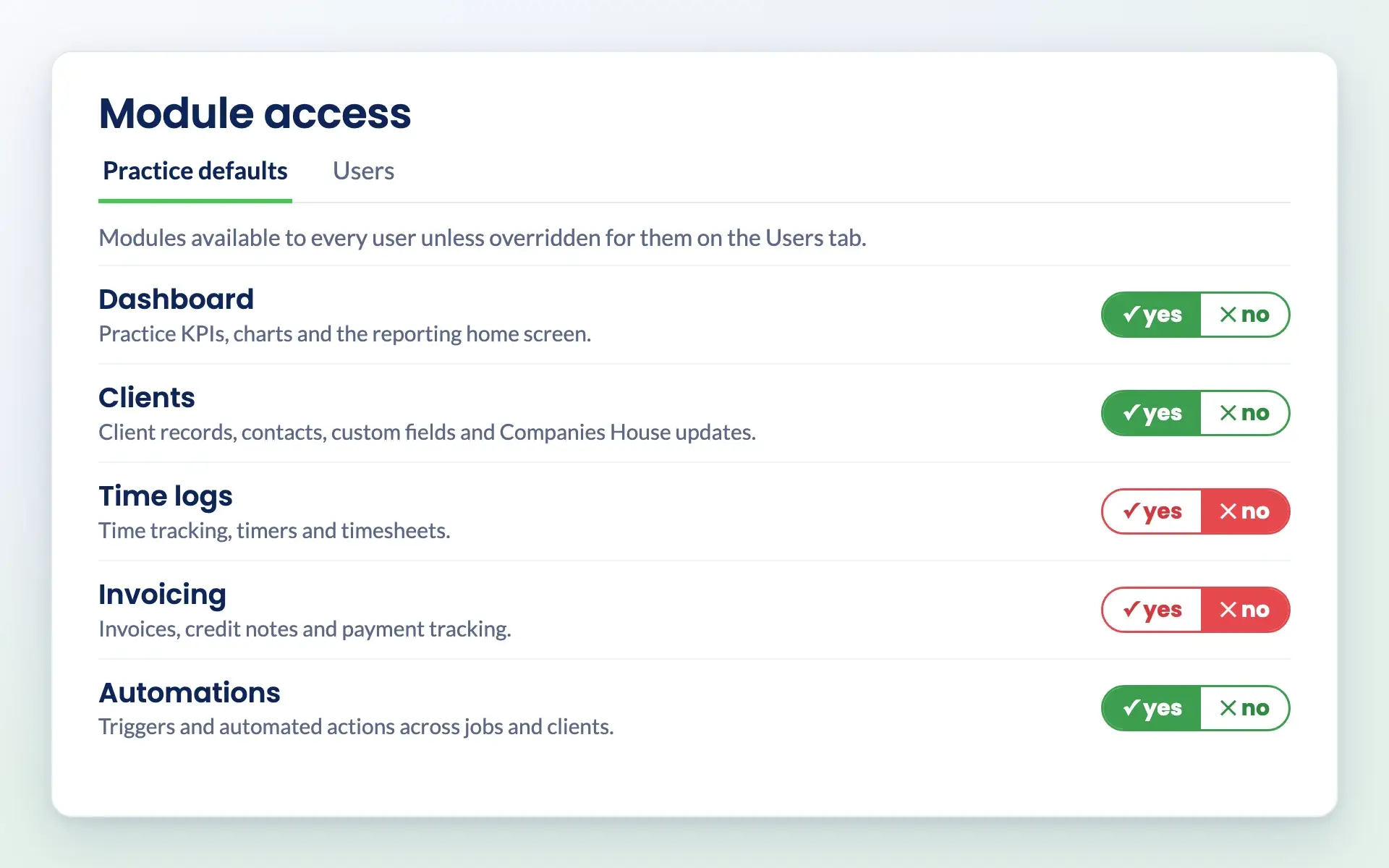
Engager module access practice defaults with yes and no switches for each module

Module access

A simpler Engager for every role

Choose which of eight modules each user can see: Dashboard, Clients, Deals, Proposals & LoEs, Jobs, Time logs, Invoicing and Automations. Set practice defaults once, then change them for individual users where you need to.

Managed in one place by your admins

Module access sits in Settings, under Staff, and only admins can change it. Each module works independently, so you can combine them however suits your practice.

See unlimited users

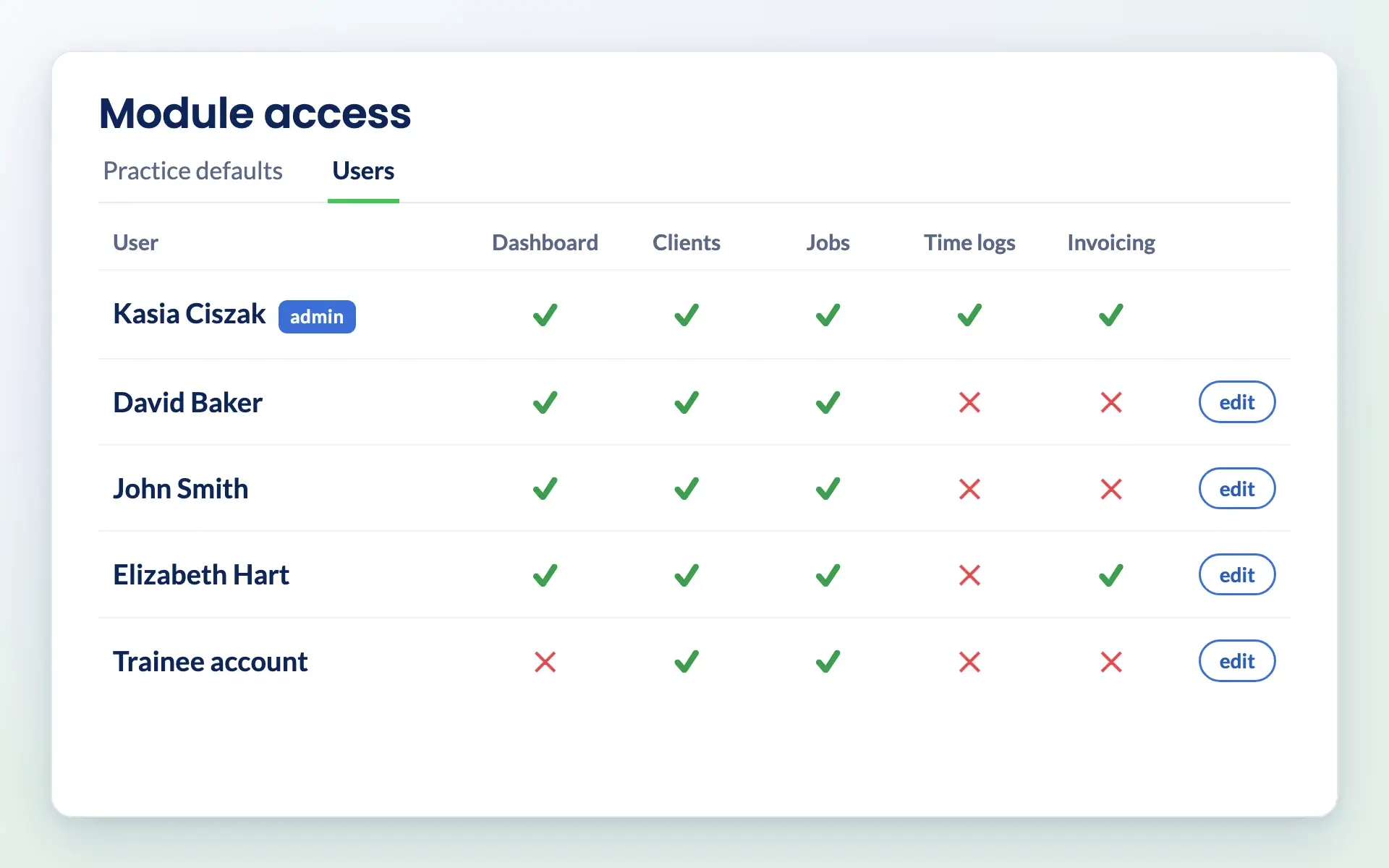
Engager module access users tab showing which modules each team member can see

How it works

How module access works

Set practice defaults

Choose yes or no for each module on the Practice defaults tab. Every user follows these unless you set something different for them.

Engager module access practice defaults with yes and no switches for each module

Change access for individual users

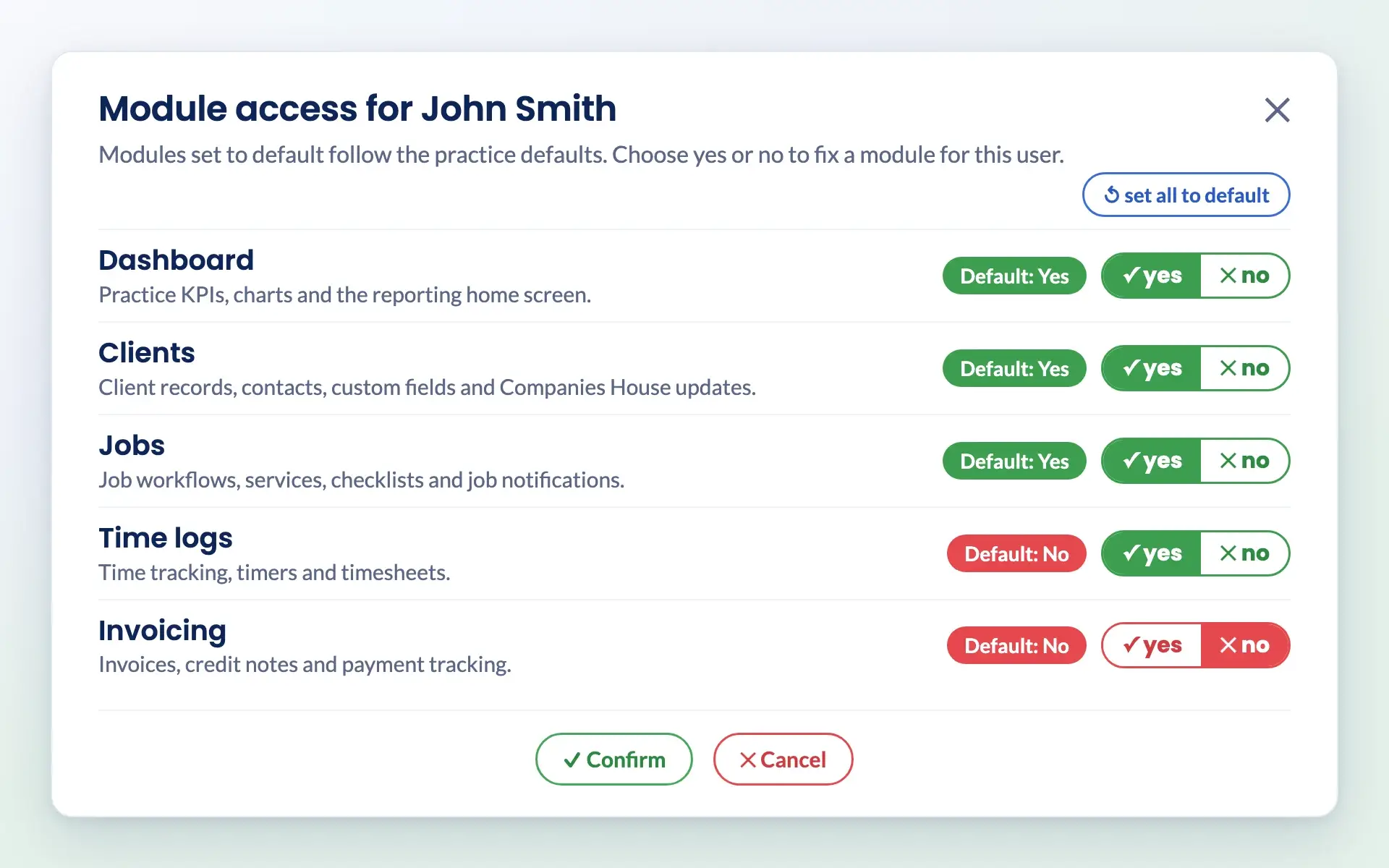
The Users tab shows everyone’s access at a glance. Open a user to let each module follow the default or fix it to yes or no for them, and reset them to the defaults in one click.

Setting module access for one user in Engager, overriding the practice defaults

Switched-off modules stay out of the way

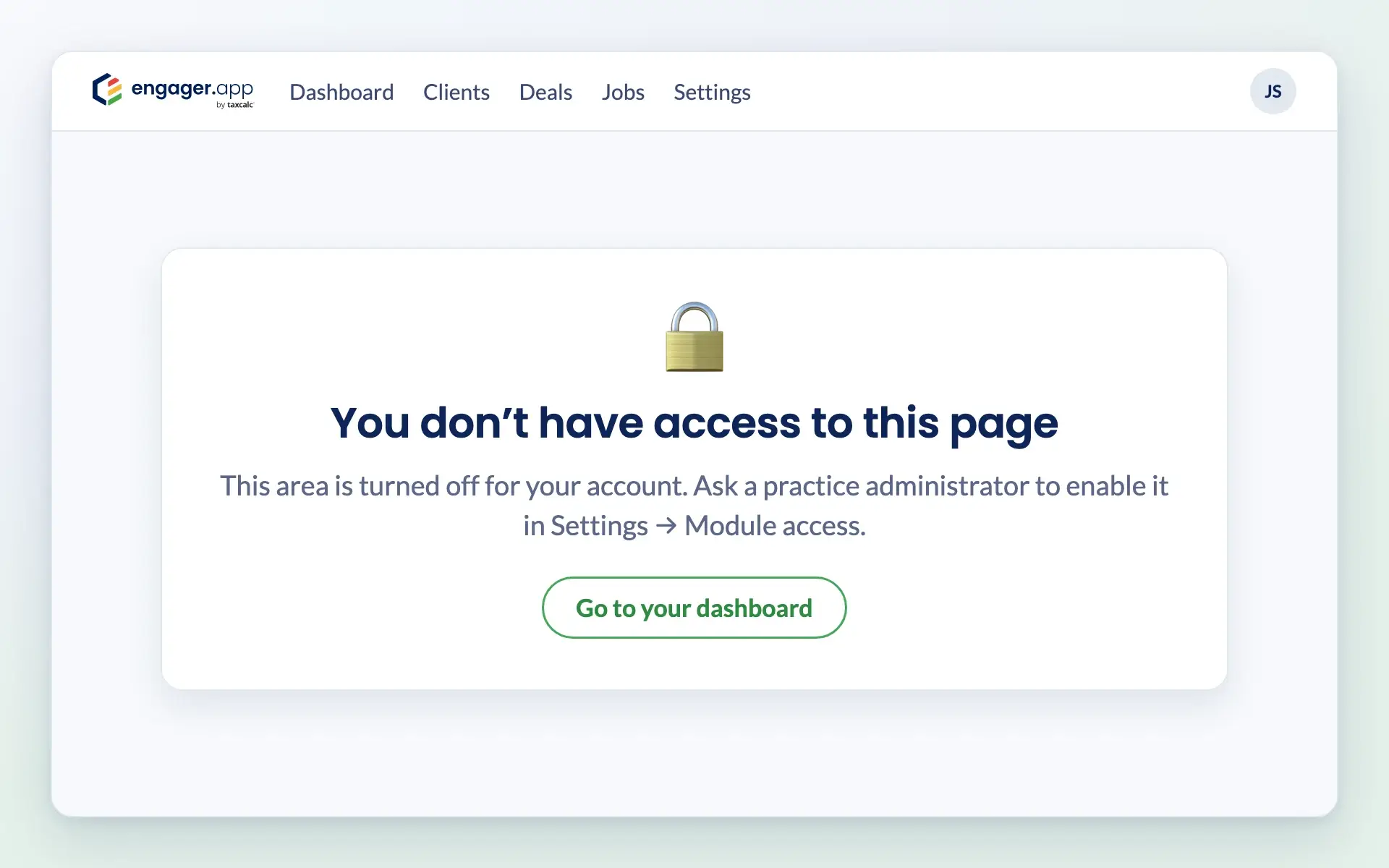
Modules that are switched off disappear from that user’s menu, and links to them show a no access page. Changes apply the next time the page loads, and Settings is always available.

Engager page shown when a module is switched off for a user

Common challenges

Problems module access solves

Engager module access users tab showing which modules each team member can see

New starters overwhelmed?

Show trainees only the modules they use, and add more as they learn.

Engager module access practice defaults with yes and no switches for each module

Areas open to people who do not need them?

Keep modules such as invoicing or time logs to the people who work with them.

Setting module access for one user in Engager, overriding the practice defaults

Setting up every role from scratch?

Set practice defaults once and adjust them for individual users.

Engager page shown when a module is switched off for a user

Cluttered menus?

Switched-off modules disappear from the menu, so each person sees a simpler Engager.

Reviews

Rated Excellent by accountants and bookkeepers

4.6 out of 5 from 199 reviews on Trustpilot, 181 of them five stars.

Read all reviews on Trustpilot
“Moved over from another practice management system and I’m so pleased I did. My only complaint is why I didn’t do it sooner!”
Fiona · Verified Trustpilot review, April 2025
“Finally found a practice management software that ticks every box and keeps us on track with deadlines, jobs, onboarding and billing.”
Rosevale Accountants Ltd · Verified Trustpilot review, February 2025
“It keeps everything in one place, and has taken a lot of admin stress off our plate. It was built by an accountant for accountants, and you can really tell.”
Jana W · Verified Trustpilot review, February 2026

Questions

Module access FAQs

What is module access?

Module access lets admins choose which parts of Engager each team member can see. You set practice defaults for each module and can change them for individual users.

Which modules can I switch on or off?

Dashboard, Clients, Deals, Proposals & LoEs, Jobs, Time logs, Invoicing and Automations. Each works independently. Settings is always available.

Who can change module access?

Only admins, in Settings, under Staff, Module access. Admins always have access to every module.

Does module access affect the client portal?

No. Module access applies to your team members only, not to clients using the client portal.

Can someone still be given work in a module they cannot see?

Yes. Users can still be assigned work in a hidden module and still receive notifications about it.

Does switching modules off change my price?

No. Every plan includes every feature and unlimited users, from £9 +VAT a month. Module access only changes what each user sees.

Pricing

Practice management software pricing, made simple.

One price for your whole practice, based on how many clients you look after. Every feature and unlimited users included.

Work out your price

Enter your number of clients or drag the slider.

250 clients
1 client30,000+ clients
For small teams
£89+VAT
a month

Billed monthly.

  • Secure client portal
  • eSigning capabilities
  • Mobile app access
  • Branded client experience
  • Automated emails
  • Task management
  • Document templates
  • Unlimited users
  • UK-hosted, Cyber Essentials certified
Start free 28-day trial

No card details required.

Compare plans in full →
✓New client signed✓Deadline met

Get started

Ready for a calmer practice?

Try every feature free for 28 days. Our team will help you import your clients and set up your services.

Newsletter

Be the first to know.

Product updates, events and practical tips for running your practice, straight to your inbox. No spam, unsubscribe any time.