








Retyping the same letters?
Save any letter as a template and reuse it for every client.
Onboard clients
Communicate and team
With TaxCalc and Engager working together.
Read the story →Compliance, referrals and payments
"Engager understood the pain points accountants face."
Read the story →Learn and stay updated
Packages start from as little as £9 +VAT per month.
Free 28-day trialStart your journey
Jason Holden, Founder, Holden Associates
Features / Document Templates
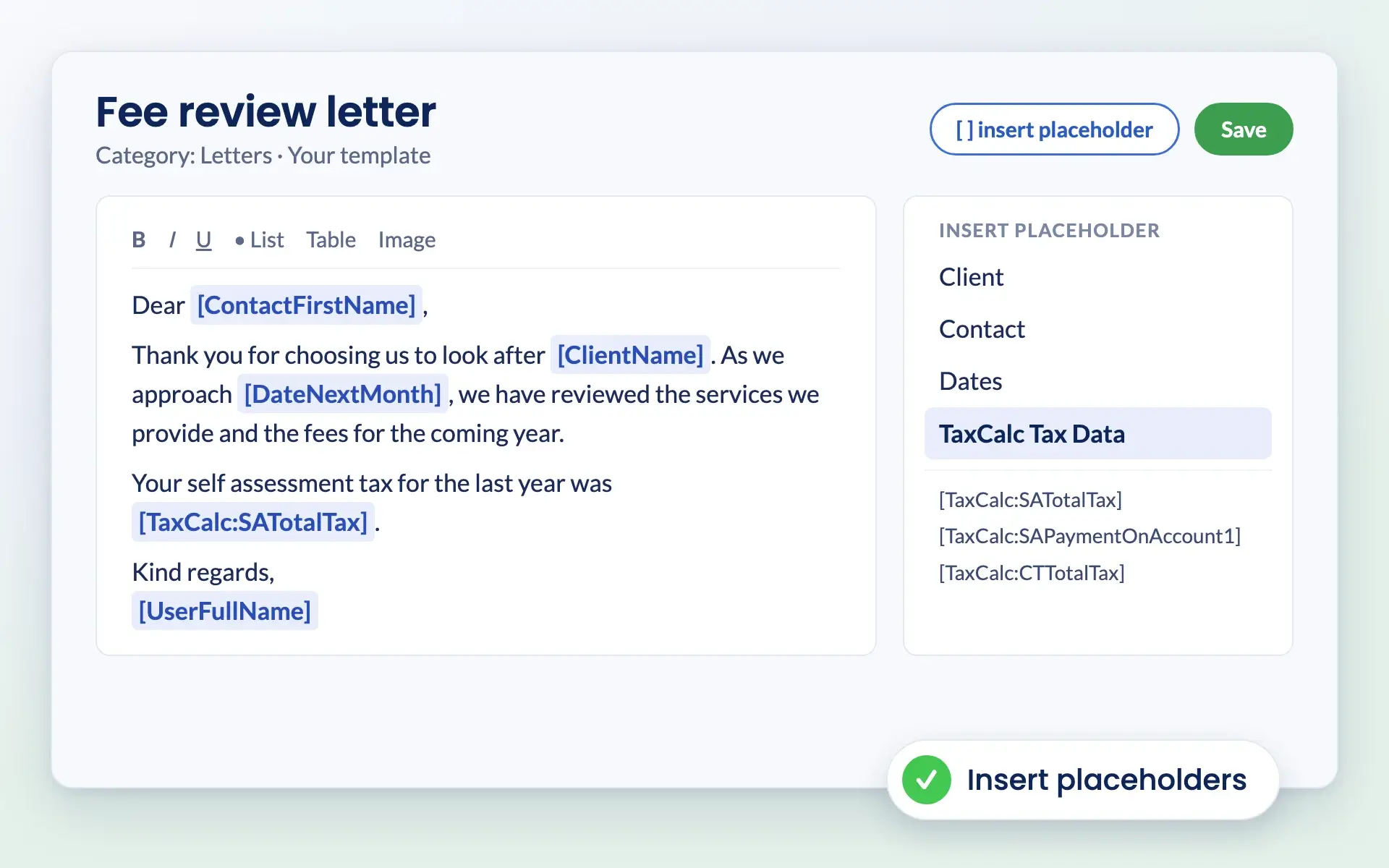
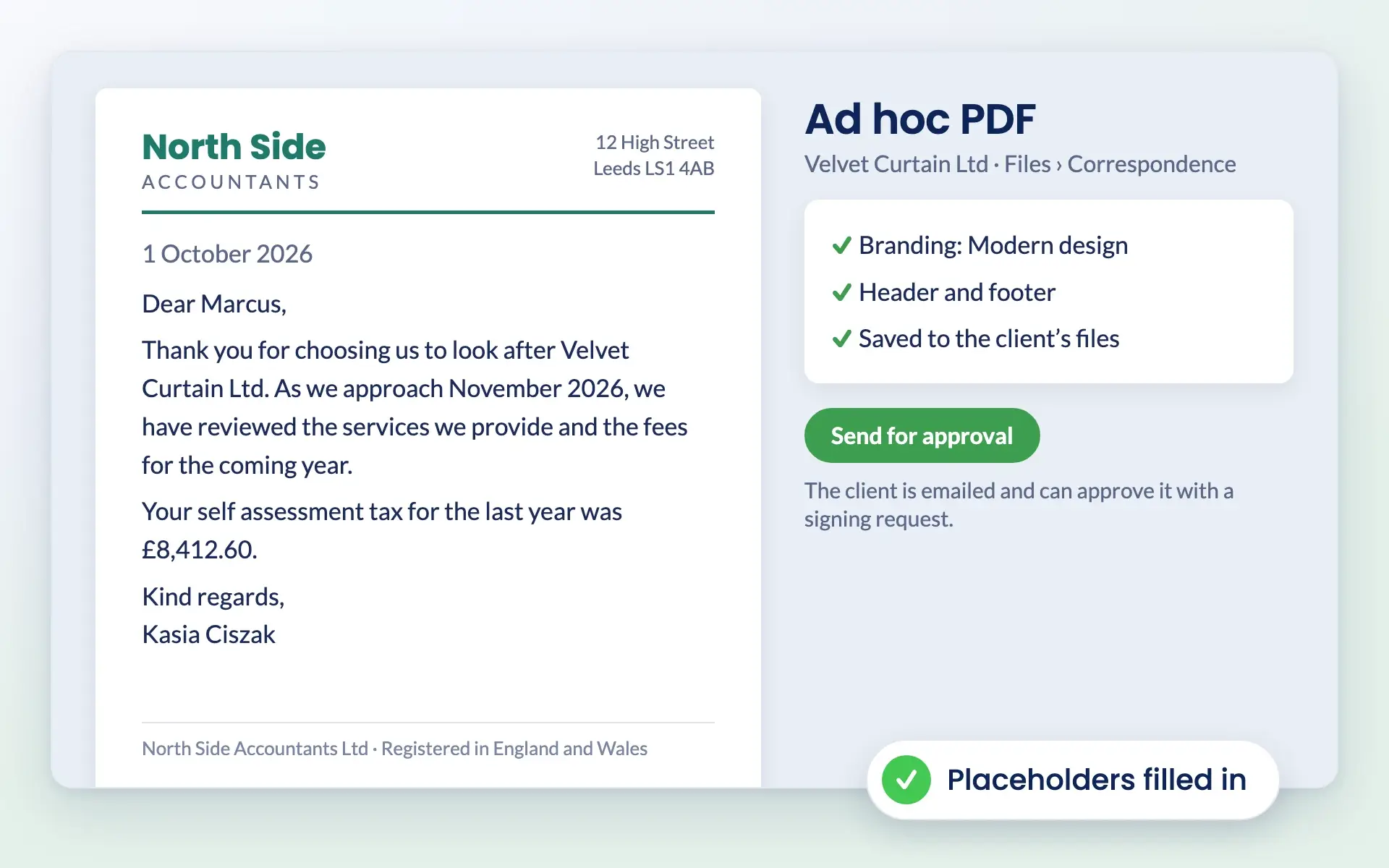
Write a letter once and reuse it for every client. Placeholders fill in client details, dates and even TaxCalc figures, and your branding is applied automatically.
No card details required. Every feature and unlimited users included, from £9 +VAT a month.

Document templates
Start from Engager’s built-in library or create your own templates. Duplicate any built-in template and edit it to make it yours.
Templates include letters of engagement for limited companies, sole traders, partnerships, LLPs, trusts and charities, schedules of services, proposal sections, board minutes, written resolutions, dividend vouchers, privacy notices, and disengagement and professional clearance letters.
How it works
Insert placeholders for client, contact and practice details, client addresses such as the registered office, and relative dates such as the current month. When the document is generated, Engager fills them in.

If your account is linked to TaxCalc, TaxCalc placeholders add Self Assessment and Corporation Tax figures, such as total tax and payments on account, from the client’s latest return or a tax year you choose.

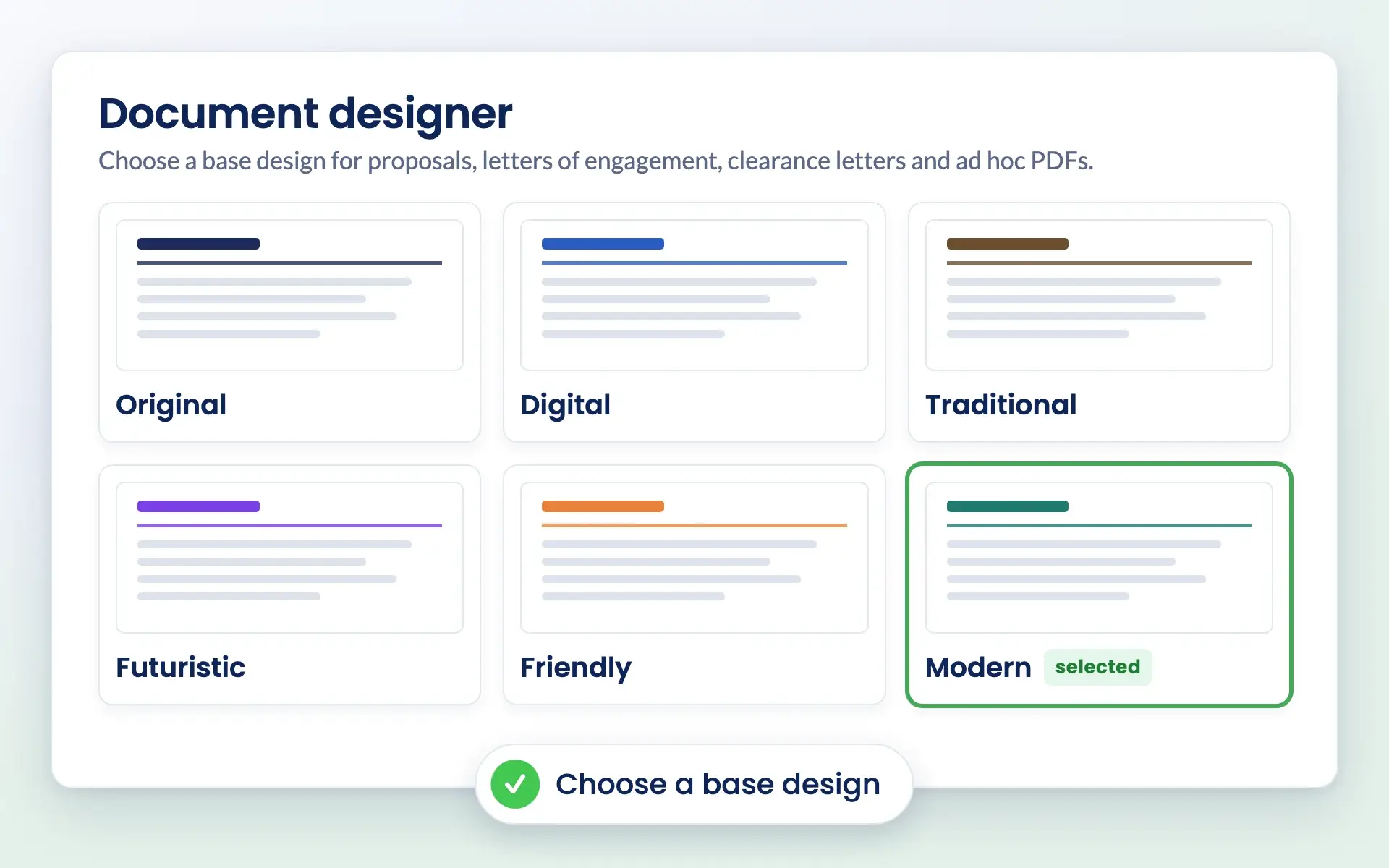
The document designer sets your logo, fonts, margins, cover page, header and footer, with six base designs to start from. It applies to proposals, letters of engagement, disengagement and clearance letters, and ad hoc PDFs.
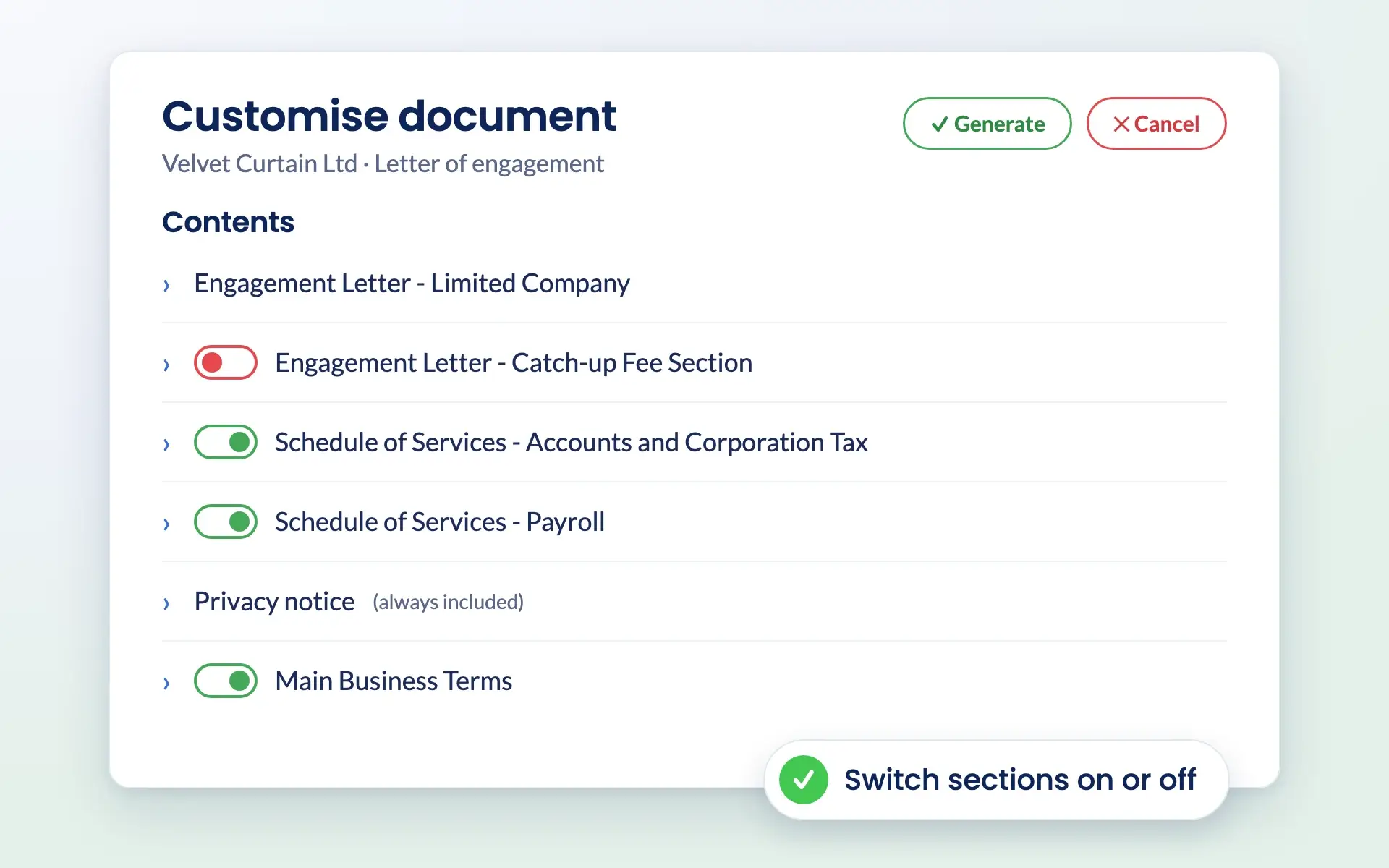
Set a schedule of services template for each service, so it is added when that service is switched on for a client. When you generate a letter, switch optional sections on or off for that client.
Common challenges

Save any letter as a template and reuse it for every client.

One design can be used across every document type, so everything looks like it came from the same practice.

Placeholders pull in client details, dates and TaxCalc figures, so there is less to type and check.

Create an ad hoc PDF from a template in the client’s files, then ask the client to approve it with a signing request.
Reviews
4.6 out of 5 from 199 reviews on Trustpilot, 181 of them five stars.
“Moved over from another practice management system and I’m so pleased I did. My only complaint is why I didn’t do it sooner!”
“Finally found a practice management software that ticks every box and keeps us on track with deadlines, jobs, onboarding and billing.”
“It keeps everything in one place, and has taken a lot of admin stress off our plate. It was built by an accountant for accountants, and you can really tell.”
Works together
Your templates and branding carry through every document you send.
Generate tailored engagement letters and send them for signing.
Explore letters of engagementCreate professional letters of disengagement in a few clicks.
Explore letters of disengagementSend and reply to clearance requests from templates.
Explore professional clearance lettersQuestions
A built-in library of letters of engagement for limited companies, sole traders, partnerships, LLPs, trusts and charities, plus schedules of services, proposal sections, board minutes, written resolutions, dividend vouchers, privacy notices, and disengagement and professional clearance letters.
Yes. Go to Settings, Document content, Document templates, choose new template, pick a category, add your text and placeholders, then save. Built-in templates can be duplicated and edited, and you can delete any template you created.
Placeholders cover client, contact and practice details, client addresses such as the registered office and trading address, and relative dates such as the current or next month, in your practice’s time zone. If your account is linked to TaxCalc, TaxCalc placeholders add Self Assessment and Corporation Tax figures.
Yes. The document designer sets your logo, fonts, margins, cover page, header and footer, with six base designs: Original, Digital, Traditional, Futuristic, Friendly and Modern. An admin sets it up once.
Yes. Create an ad hoc PDF from the client’s Files folder, starting from a template if you like, add images and save it as a new template. You can email the client and ask them to approve it with a signing request.
Yes. Every plan includes every feature and unlimited users, from £9 +VAT a month. Try it free for 28 days.
Pricing
One price for your whole practice, based on how many clients you look after. Every feature and unlimited users included.
Enter your number of clients or drag the slider.
Billed monthly.
No card details required.
Compare plans in full →Get started
Try every feature free for 28 days. Our team will help you import your clients and set up your services.
Newsletter
Product updates, events and practical tips for running your practice, straight to your inbox. No spam, unsubscribe any time.