









In 2026, good practice management software for a UK accounting firm needs to handle recurring quarterly work for MTD for Income Tax, not just annual deadlines. Beyond that, look for engagement letters with e-signature, support for your anti-money laundering checks, a client portal, sensible automation, integrations with your tax and bookkeeping software, and clear answers on security and pricing. The checklist below helps you compare options on the things that matter day to day.
Why the requirements have changed
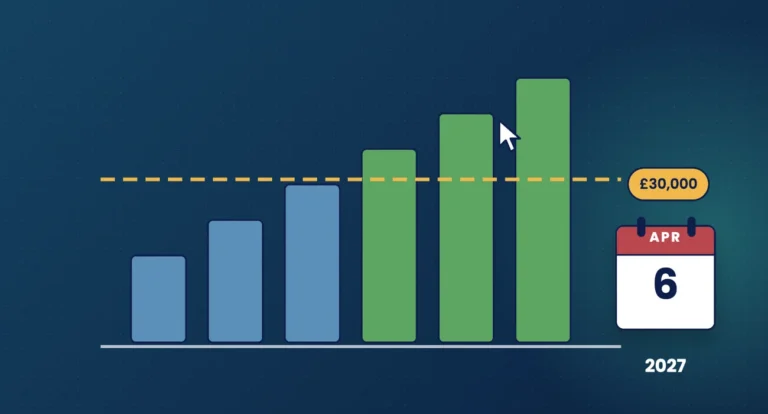
For years, practice software was mostly about tracking year-end accounts and tax returns. That has shifted. Since 6 April 2026, sole traders and landlords with qualifying income over £50,000 have had to use Making Tax Digital for Income Tax, with the threshold falling to £30,000 from April 2027 and £20,000 from April 2028. Each of those clients now has four quarterly update deadlines a year as well as a tax return.
At the same time, Companies House identity verification became a legal requirement for directors and people with significant control from 18 November 2025, and anti-money laundering expectations remain as demanding as ever. Your software needs to keep up with all of it.
1. Deadlines and quarterly workflows
This is the heart of any system. Check that it can:
- track statutory deadlines (accounts, confirmation statements, VAT, Self Assessment, MTD quarterly updates) alongside your own internal deadlines
- create recurring jobs automatically, including four quarterly jobs per MTD client
- break jobs into stages with owners, so you can see where each one is stuck
- show workload across the team in a clear view, such as a Kanban board or dashboard
- use checklists so every job follows the same steps
Ask for a demo using a real client mix. A tool that looks tidy with ten clients may struggle with three hundred.
2. Proposals, engagement letters and e-signature
Professional bodies expect members to agree terms of engagement in writing, and a clear letter is a key protection if a dispute arises. With MTD changing the scope of work for many clients, you will be reissuing a lot of them. Look for:
- templates you can edit, with merge fields for client details and fees
- proposals that convert into engagement letters once accepted
- built-in e-signature, so you are not paying for and managing a separate tool
- bulk sending, so you can reissue letters to a group of clients at once
- a clear record of who signed what and when
3. Client onboarding and anti-money laundering
Under the Money Laundering Regulations, accountancy service providers must carry out customer due diligence and take a risk-based approach. Software will not make the judgement for you, but it should make the process consistent:
- onboarding forms that collect the information you need once
- identity and AML checks through integrations with specialist providers
- a record of checks completed, with reminders when they need refreshing
- professional clearance letters for clients moving from another firm
4. Client portal and communication
Quarterly obligations mean more contact with clients and more documents moving back and forth. A secure client portal is safer than email attachments and easier for clients to use. Check whether it can carry your branding, whether there is a mobile app, and whether clients can sign documents and upload records in the same place.
Also check how email works. Integration with Microsoft 365 or Gmail keeps correspondence against the client record, so anyone in the team can pick up a conversation.
5. Automation that saves real time
Automation is most useful for the repetitive tasks: requesting records, chasing missing information and reminding clients of deadlines. Look for automated emails tied to deadlines or job stages, bulk email and SMS, and templates you control. Check that you can see what has been sent and switch automations off for individual clients.
6. Integrations with tax and bookkeeping software
Retyping client details between systems wastes time and introduces errors. Ask which tax, bookkeeping, payment and AML tools the system connects to, what data moves in each direction, and whether any integration costs extra. If you file through a particular tax product, check that integration carefully. Practice management software usually supports the workflow around filing rather than doing the filing itself.
Two government integrations are worth asking about: Companies House, for pulling company data and deadlines, and HMRC agent authorisation, for requesting authority from clients.
7. Security, hosting and data protection
You are trusting the supplier with sensitive client data. Ask:
- Where is data hosted? Many firms prefer UK hosting.
- What certifications does the supplier hold, such as Cyber Essentials?
- Is data encrypted, and how often is it backed up?
- Is a data processing agreement provided under UK GDPR?
- What access controls and user permissions are available?
8. Pricing models
Pricing varies widely, and the cheapest headline price is not always the cheapest in practice. Watch for:
| Pricing approach | What to check |
|---|---|
| Per user | Cost as the team grows, and whether part-time staff count |
| Per client | Cost as MTD adds more clients to quarterly work |
| Feature tiers | Whether e-signature, portal or automations sit in higher tiers |
| Add-ons | Charges for integrations, SMS or extra storage |
| Contract terms | Minimum term, notice period and setup fees |
A free trial, ideally with no card details needed, lets you test with real work before committing.
Buyer checklist
- Statutory and internal deadlines, including MTD quarterly updates
- Recurring jobs, stages, checklists and team workload view
- Proposals, engagement letters and built-in e-signature
- Onboarding forms and AML check integrations
- Branded client portal and mobile app
- Email integration, bulk email and SMS
- Automated reminders you can control
- Integrations with your tax, bookkeeping and payment tools
- Companies House and HMRC authorisation integrations
- UK hosting, security certification and a data processing agreement
- Transparent pricing and a free trial
- Migration help and responsive support
Frequently asked questions
Does practice management software file MTD updates?
Usually not. Quarterly updates are sent through HMRC-recognised MTD software. Practice management software organises the work, deadlines and client communication around those submissions.
How long should a trial be?
Long enough to run at least one real piece of work through it, from onboarding to engagement letter to job completion. Two to four weeks suits most firms.
Is UK hosting a legal requirement?
Not in itself. UK GDPR allows data to be stored abroad with the right safeguards, but many firms prefer UK hosting for simplicity and client confidence.
Should a small practice bother with practice management software?
Smaller firms often benefit most, because there are fewer people to catch missed deadlines and chase clients by hand.
How Engager helps
Engager is cloud practice management software for UK accountants and bookkeepers, part of TaxCalc and used by over 2,000 UK firms. It covers proposals, letters of engagement with built-in e-signatures, onboarding forms, AML checks through Xama and Armalytix, task management with job phases and checklists, statutory and internal deadlines, automated emails, a branded client portal and integrations with TaxCalc, Xero, QuickBooks, FreeAgent, Companies House and HMRC 64-8 agent authorisation.
It is UK-hosted, GDPR compliant and Cyber Essentials certified. Pricing starts from £9 +VAT a month, with every feature included and unlimited users.
Not using Engager yet? Start a free 28-day trial, with no card details required, or book a demo.