








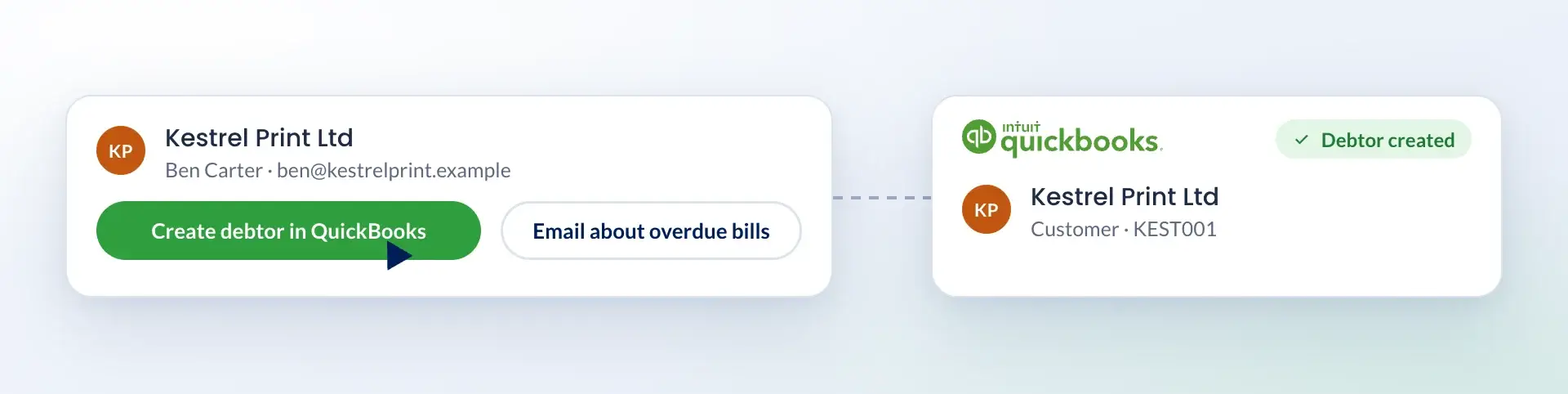
Create a debtor in one click
Once you have entered a client's details, create them as a debtor in QuickBooks with one click. You can also email clients about overdue bills from Engager.

Onboard clients
Communicate and team
With TaxCalc and Engager working together.
Read the story →Compliance, referrals and payments
"Engager understood the pain points accountants face."
Read the story →Learn and stay updated
Packages start from as little as £9 +VAT per month.
Free 28-day trialStart your journey
Jason Holden, Founder, Holden Associates
Integrations / QuickBooks
 +
+Sync client details and invoices between Engager and QuickBooks
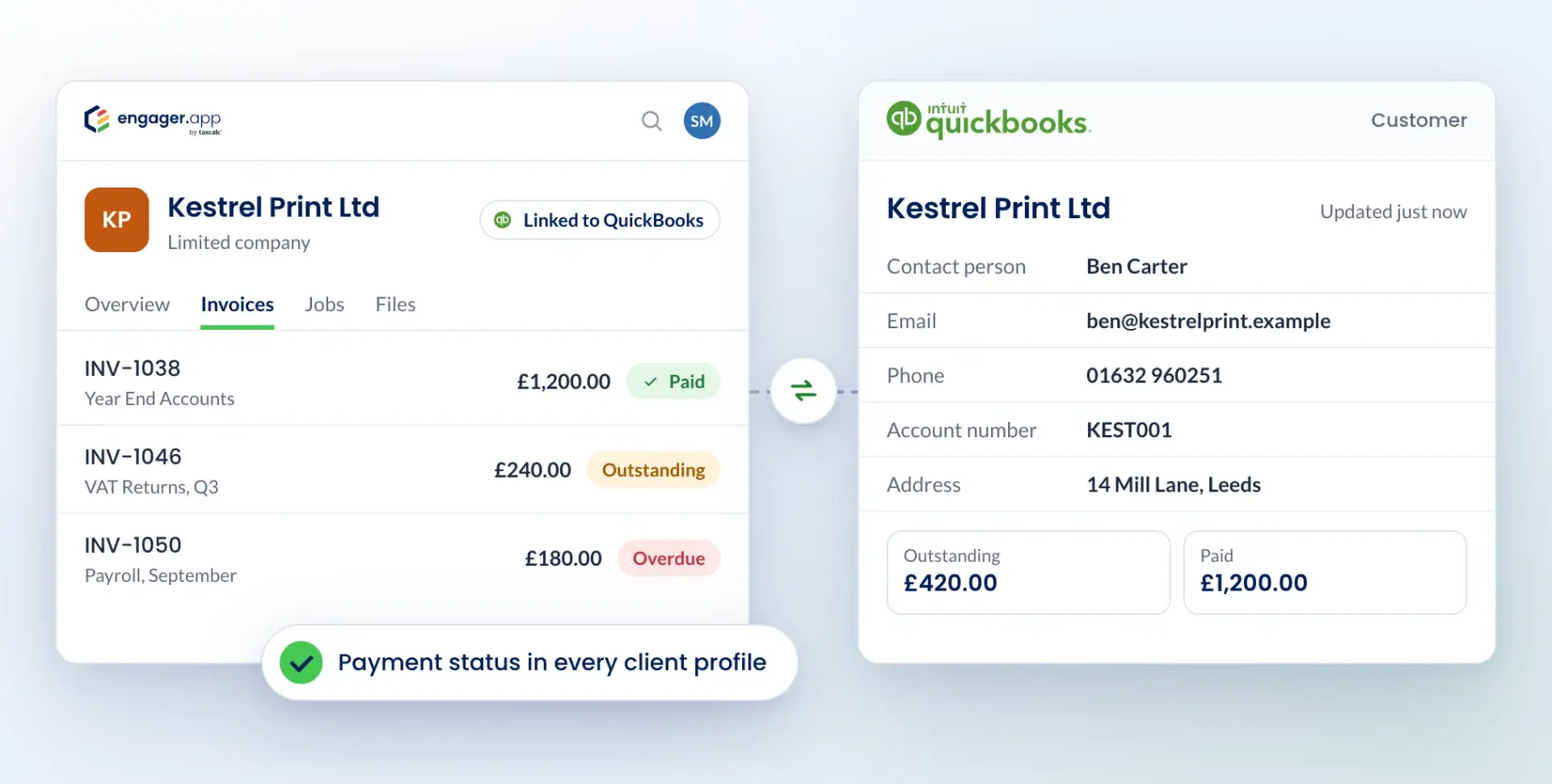
Integrate QuickBooks with Engager to manage client and financial data in one place. Client details sync between the two systems, so there is no duplicate entry and your records stay up to date.
What you can do
Once you have entered a client's details, create them as a debtor in QuickBooks with one click. You can also email clients about overdue bills from Engager.
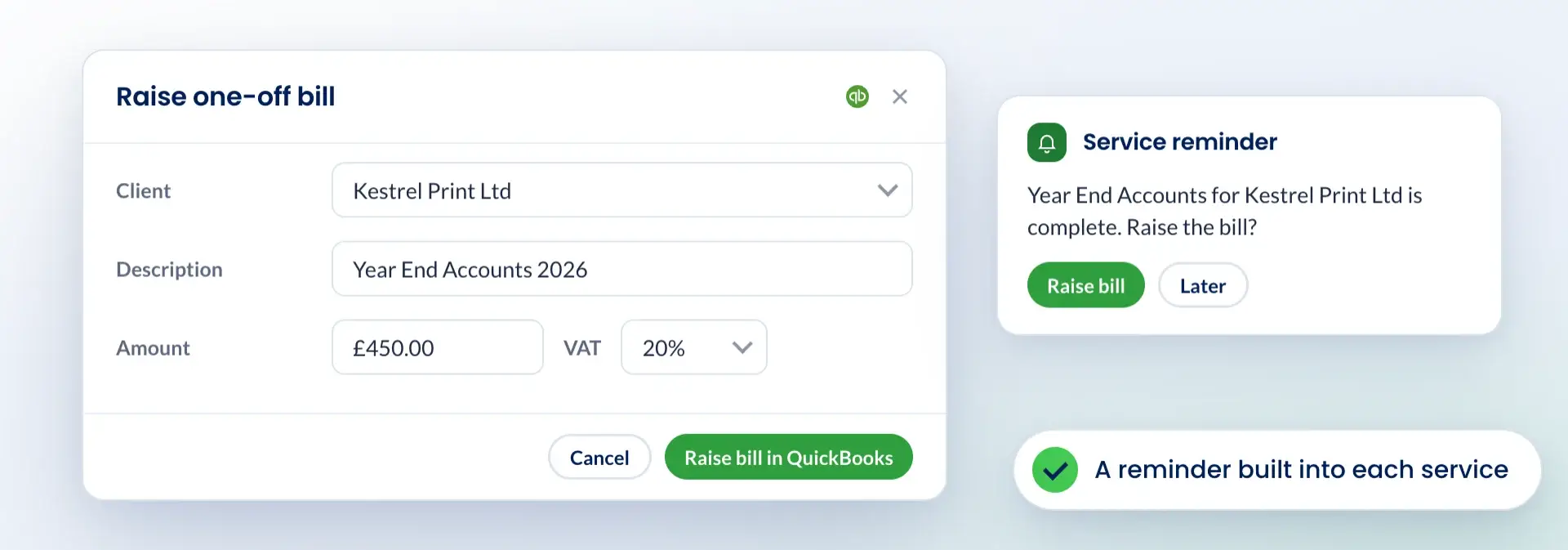
Raise one-off bills in QuickBooks from Engager. A reminder is built into each service, so bills are not missed.
See it in action
Client onboarding
Add new clients to QuickBooks directly from Engager when you set them up.
Accurate client data
Names, addresses and contact details sync automatically, so they match in both systems.
QuickBooks data in Engager
See key financial information in Engager without switching systems.
Invoice management
Create and send invoices through QuickBooks and track them in Engager.
Two-way client sync
Sync client details between QuickBooks and Engager to reduce manual input and errors.
Invoices
Create and track invoices in Engager using QuickBooks' invoicing tools.
Payment status
See invoice payment statuses in each client's Engager profile.
Up-to-date records
Changes in either system are reflected in the other, so you work with accurate data.
Log in to Engager
Sign in to your Engager account.
Go to integrations
Click Settings in the top-right corner and open the Integrations tab.
Connect QuickBooks
Find QuickBooks in the list of integrations and click Connect. Follow the on-screen steps to authorise access.
Choose your settings
Set your preferences for client sync, invoicing and data access to suit your practice.
Start working
Use QuickBooks features from within Engager.
Questions
The QuickBooks integration with Engager.app allows accountants and bookkeepers to sync client data, invoices, and other financial information between the two platforms, enhancing practice efficiency and reducing manual data entry.
By integrating QuickBooks with Engager.app, you can streamline your practice management by automating regular tasks, centralising client management, and enhancing communication via a secure client portal. This integration saves valuable time and reduces potential errors.
The integration supports two-way syncing of client details and invoices. When you create or update a client or invoice in Engager.app, the information will automatically sync with QuickBooks, ensuring consistency across both platforms.
Yes, you can create invoices directly in Engager.app, and they will automatically appear in QuickBooks. This feature allows you to manage billing efficiently without leaving Engager.app.
To set up the integration, navigate to the settings within your Engager.app account, select the QuickBooks integration option, and follow the on-screen instructions to authorise and connect your QuickBooks account.
Engager.app does not charge extra for the integration. However, both QuickBooks and Engager.app require active subscriptions. Please review each platform's pricing for specific details.
Both QuickBooks and Engager.app prioritise data security, employing industry-standard encryption and secure servers to ensure all client information and financial data are protected.