








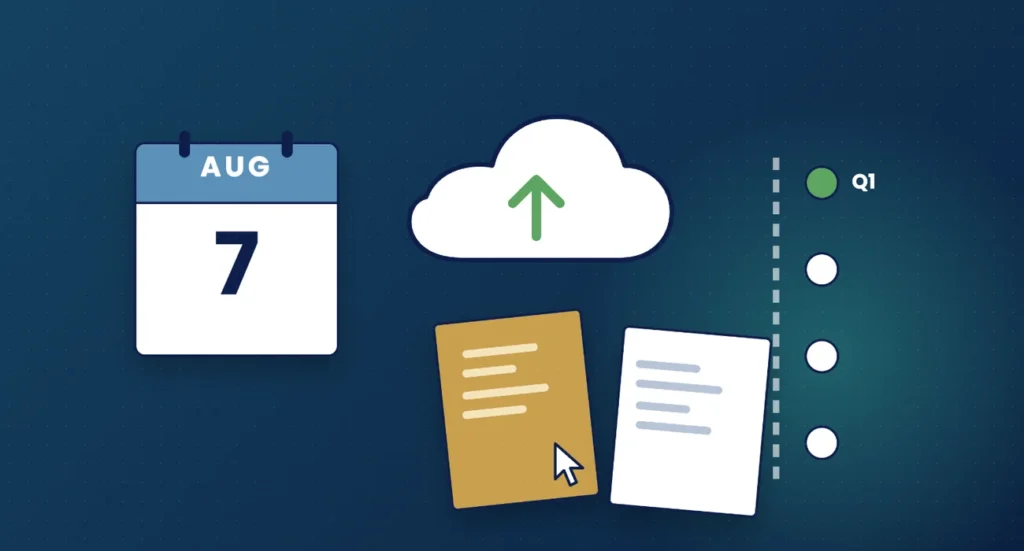
The first quarterly update under Making Tax Digital for Income Tax is due by 7 August 2026. It covers 6 April to 5 July 2026 for clients on standard update periods, or 1 April to 30 June 2026 for clients who have chosen calendar update periods. The update itself is a short summary of income and expenses, so the real work for practices is getting clean, digital records in place before July ends.
Who needs to send a quarterly update this summer
From 6 April 2026, sole traders and landlords whose qualifying income from self-employment and property was over £50,000 on their 2024 to 2025 tax return must use Making Tax Digital for Income Tax. For these clients, the 2026 to 2027 tax year is the first year of quarterly reporting, and 7 August 2026 is the first deadline.
Clients who signed up voluntarily for an earlier year will already know the rhythm. For most practices, though, this will be the first time a large group of clients reports at the same time, so it is worth planning now rather than in the first week of August.
Quarterly periods and deadlines for 2026 to 2027
HMRC’s guidance on sending quarterly updates sets out two options. The deadlines are the same for both.
| Update | Standard update period | Calendar update period | Deadline |
|---|---|---|---|
| Quarter 1 | 6 April to 5 July 2026 | 1 April to 30 June 2026 | 7 August 2026 |
| Quarter 2 | 6 April to 5 October 2026 | 1 April to 30 September 2026 | 7 November 2026 |
| Quarter 3 | 6 April 2026 to 5 January 2027 | 1 April to 31 December 2026 | 7 February 2027 |
| Quarter 4 | 6 April 2026 to 5 April 2027 | 1 April 2026 to 31 March 2027 | 7 May 2027 |
Notice that every period starts at the beginning of the tax year. Each update is cumulative, covering the year to date rather than just the latest three months.
Standard or calendar update periods
Standard update periods follow the tax year and suit clients whose accounting period runs from 6 April to 5 April. Calendar update periods end on the last day of a month and suit clients whose accounts run from 1 April to 31 March, because the bookkeeping cut-off then lines up with month-end.
The choice has to be made in the software for each income source before the first update for the year is sent. Once a quarterly update has gone in, the update periods cannot be changed for that tax year. So if a client should be on calendar periods, set it before the Q1 submission, not after.
What a quarterly update contains
A quarterly update is a summary, not a tax return. It is made up of totals of income and expenses by category for each business, taken from the client’s digital records. HMRC does not receive individual receipts or invoices. You do not need to make accounting or tax adjustments before sending it; those come at the end of the year.
- One update is needed for each source of income, for example a self-employment and a UK property business.
- Where turnover is below the VAT registration threshold (currently £90,000), HMRC’s technical guidance allows total expenses to be reported as a single figure rather than broken down by category.
- Because updates are cumulative, a mistake in Q1 can be corrected in the Q2 update rather than resubmitting Q1.
- After each update, HMRC can give the client an estimate of the tax they may owe for the year.
Penalties in the first year
HMRC’s guidance on penalties for Making Tax Digital for Income Tax confirms there are no penalties for missing a quarterly update deadline in the 2026 to 2027 tax year. That is a useful safety net, but it is not a reason to relax. Quarterly updates are still mandatory, all of them must be sent before the year-end return can be submitted, and from later tax years each missed deadline earns a penalty point, with a £200 penalty once four points are reached.
Treat Q1 as a dress rehearsal for the process you will run for years to come.
A practical Q1 workflow for your practice
A simple, repeatable process works better than chasing every client individually. Here is one way to structure it.
June: get ready
- List every client in scope, with their income sources and whether they use standard or calendar periods.
- Confirm you are authorised to act for each client for MTD for Income Tax through your agent services account.
- Check each client has compatible software set up and linked, and that their records for April and May are already going in digitally.
- Write to clients explaining what you need from them, by when, and why.
Early to mid July: collect and review
- Ask for bank feeds to be up to date and any missing receipts or rent statements to be added shortly after the period ends.
- Review categorisation, look for gaps and query anything unusual while it is fresh.
- Note any corrections that can wait for the Q2 update.
Late July to 7 August: submit and record
- Submit the update for each income source and keep a record of when it went in.
- Share the tax estimate with the client where it helps them plan, particularly ahead of payments on account.
- Note what slowed you down and adjust the process before the Q2 period ends on 5 October (or 30 September).
Q1 readiness checklist
- Client is in scope and signed up for MTD for Income Tax
- Agent authorisation in place
- Software chosen, set up and linked to HMRC
- Update period type (standard or calendar) selected for each income source
- Digital records kept for every transaction since the start of the period
- Records request sent with a clear internal deadline before 7 August
- Engagement letter covers quarterly updates and the fee for the work
Frequently asked questions
When is the first MTD for Income Tax quarterly update due?
By 7 August 2026, covering 6 April to 5 July 2026 on standard periods or 1 April to 30 June 2026 on calendar periods.
Can a client switch to calendar update periods after Q1?
No. The choice must be made in the software before the first update for the tax year, and it cannot be changed for that year once an update has been sent.
Is a quarterly update a tax return?
No. It is a cumulative summary of income and expenses. Adjustments, reliefs and the final figures are dealt with in the tax return after the year end.
What happens if a Q1 update is late?
For the 2026 to 2027 tax year, there is no penalty for a late quarterly update. The update must still be sent, and penalty points will apply to late updates in later years.
How Engager helps
Engager lets you set up a job for each client’s quarterly update with checklists, statutory and internal deadlines, and task management on Kanban boards, so you can see at a glance which clients are ready and which are not. Automated emails and reminders can ask clients for their records ahead of each period end, and clients can upload documents through the branded client portal.
The HMRC 64-8 agent authorisation integration lets you request authorisation from the client record, and Engager integrates with TaxCalc, Xero, QuickBooks and FreeAgent. TaxCalc remains the software you use to file.
Not using Engager yet? Start a free 28-day trial, with no card details required, or book a demo.