









New starters overwhelmed?
Show trainees only the modules they use, and add more as they learn.

Onboard clients
Communicate and team
With TaxCalc and Engager working together.
Read the story →Compliance, referrals and payments
"Engager understood the pain points accountants face."
Read the story →Learn and stay updated
Packages start from as little as £9 +VAT per month.
Free 28-day trialStart your journey
Jason Holden, Founder, Holden Associates
Features / Module Access
Module access lets admins switch areas of Engager on or off for the whole practice or for individual users, so everyone sees what they need.
No card details required. Every feature and unlimited users included, from £9 +VAT a month.
Module access
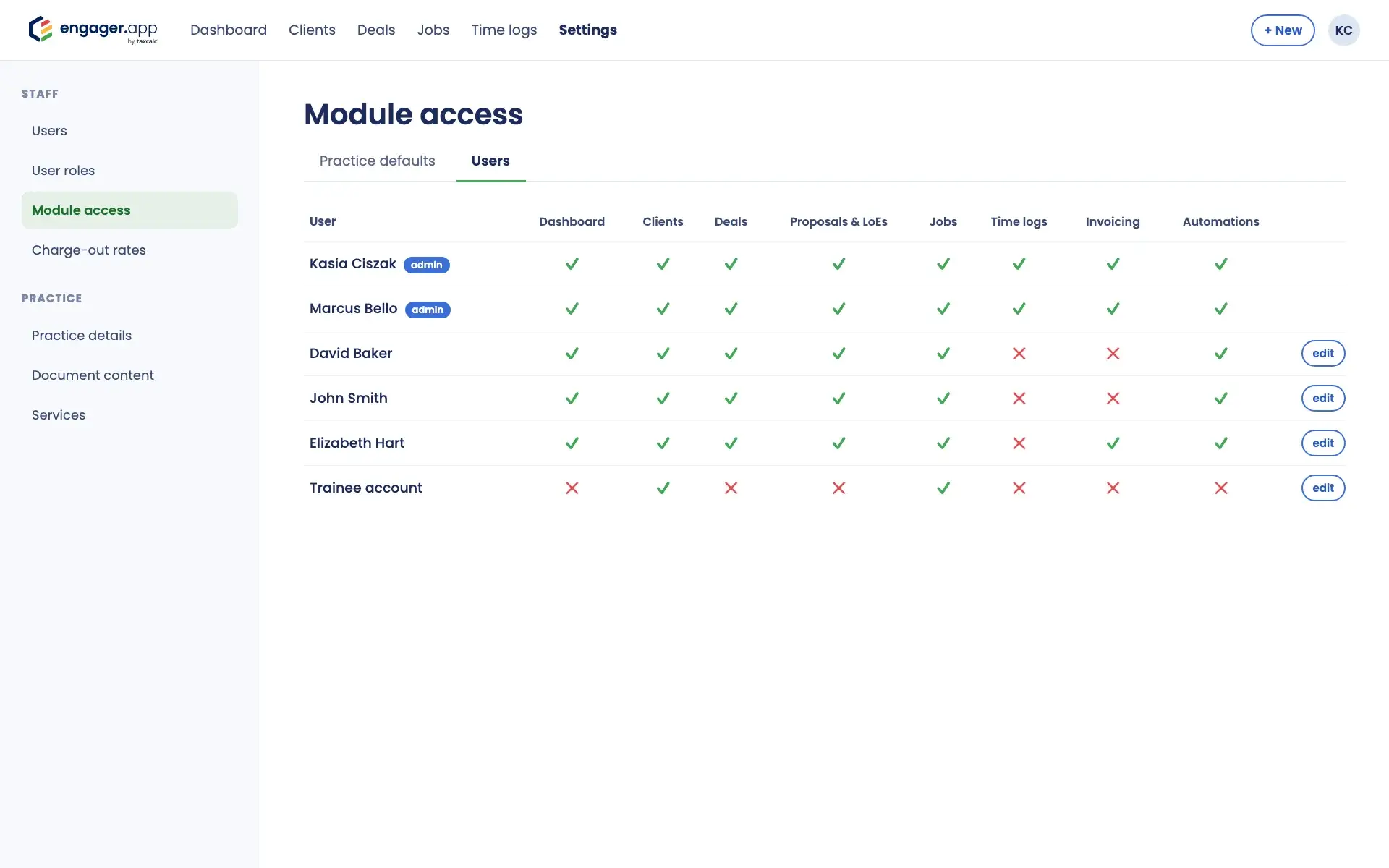
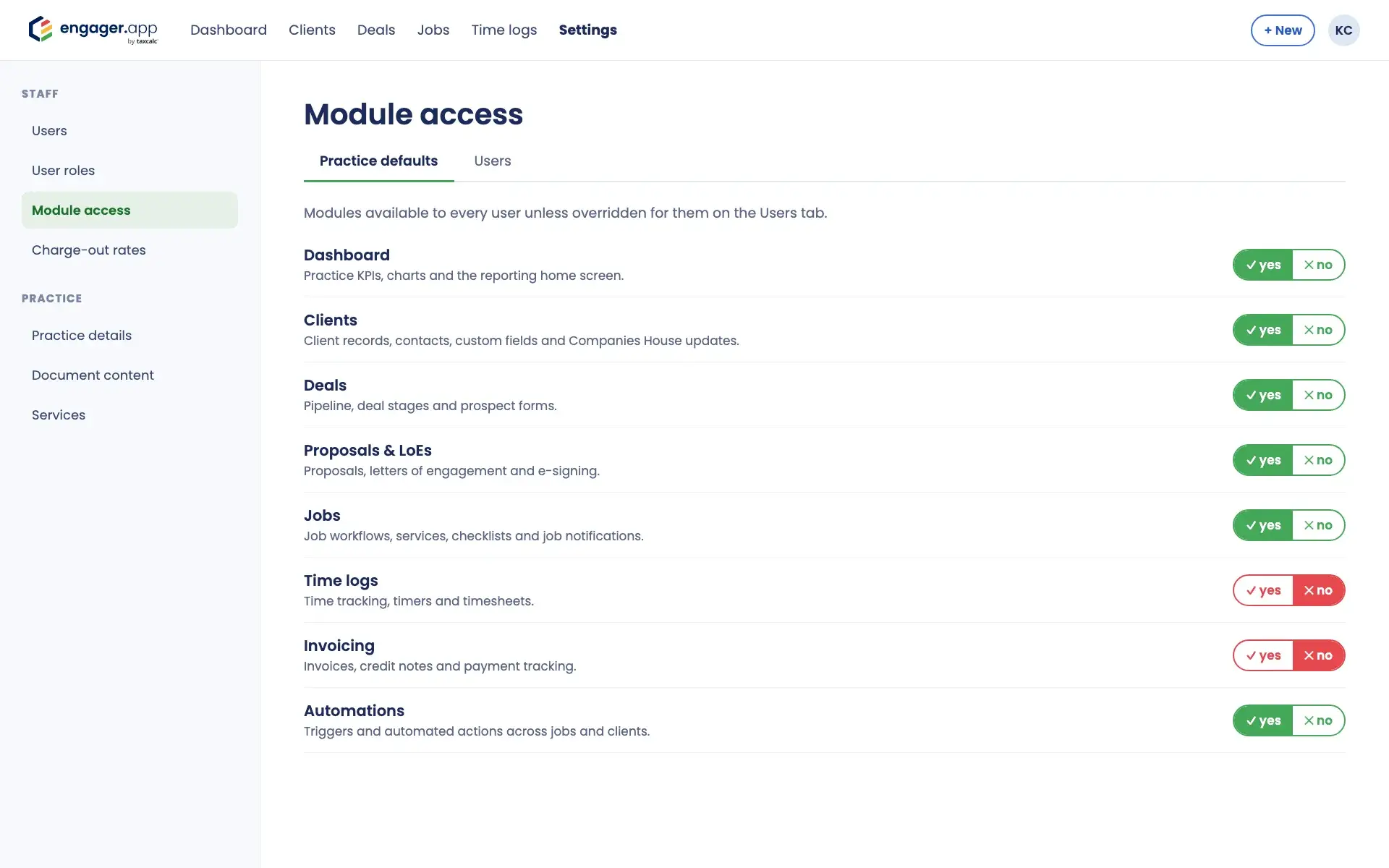
Choose which of eight modules each user can see: Dashboard, Clients, Deals, Proposals & LoEs, Jobs, Time logs, Invoicing and Automations. Set practice defaults once, then change them for individual users where you need to.
Module access sits in Settings, under Staff, and only admins can change it. Each module works independently, so you can combine them however suits your practice.
How it works
Choose yes or no for each module on the Practice defaults tab. Every user follows these unless you set something different for them.
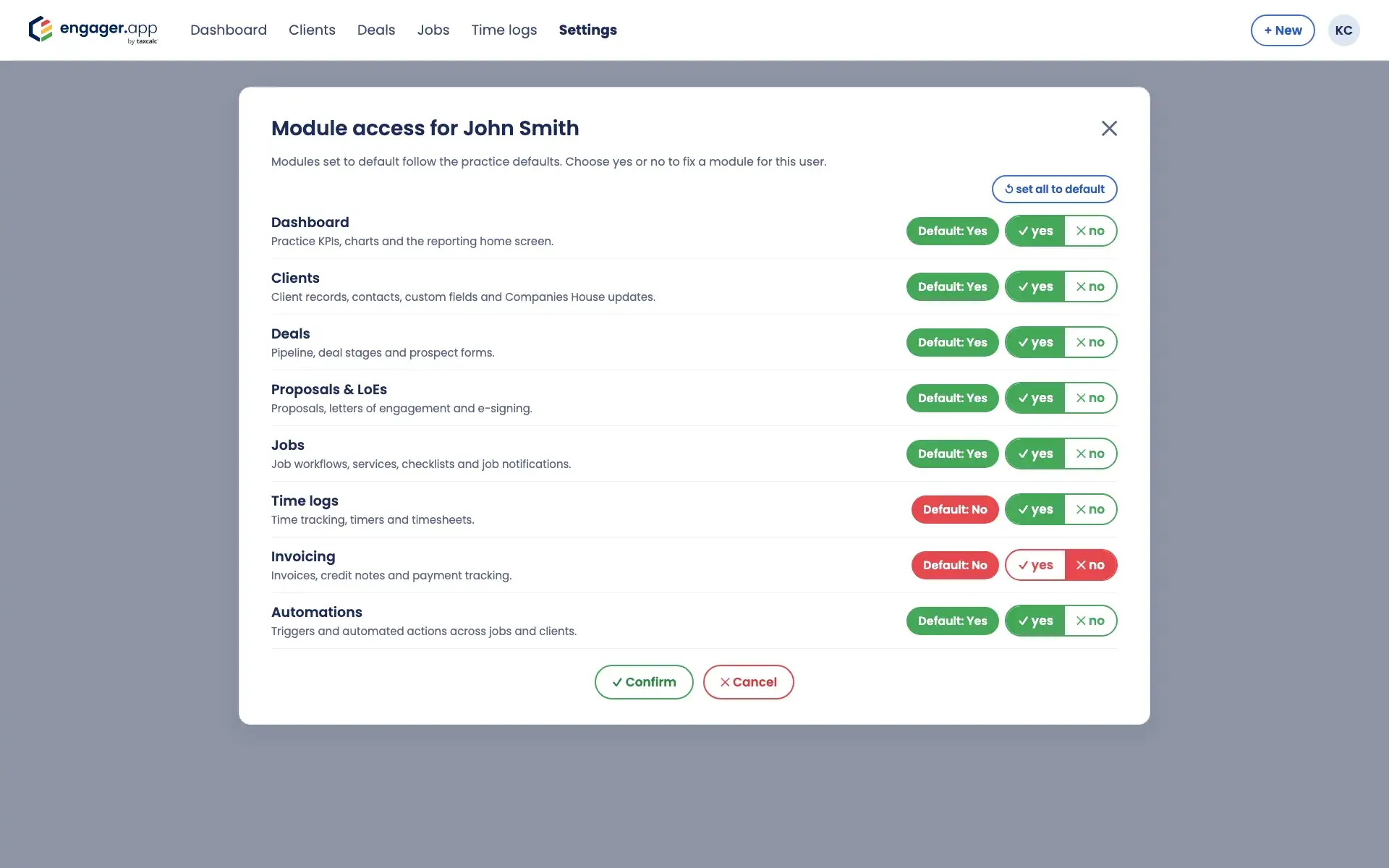
The Users tab shows everyone’s access at a glance. Open a user to let each module follow the default or fix it to yes or no for them, and reset them to the defaults in one click.
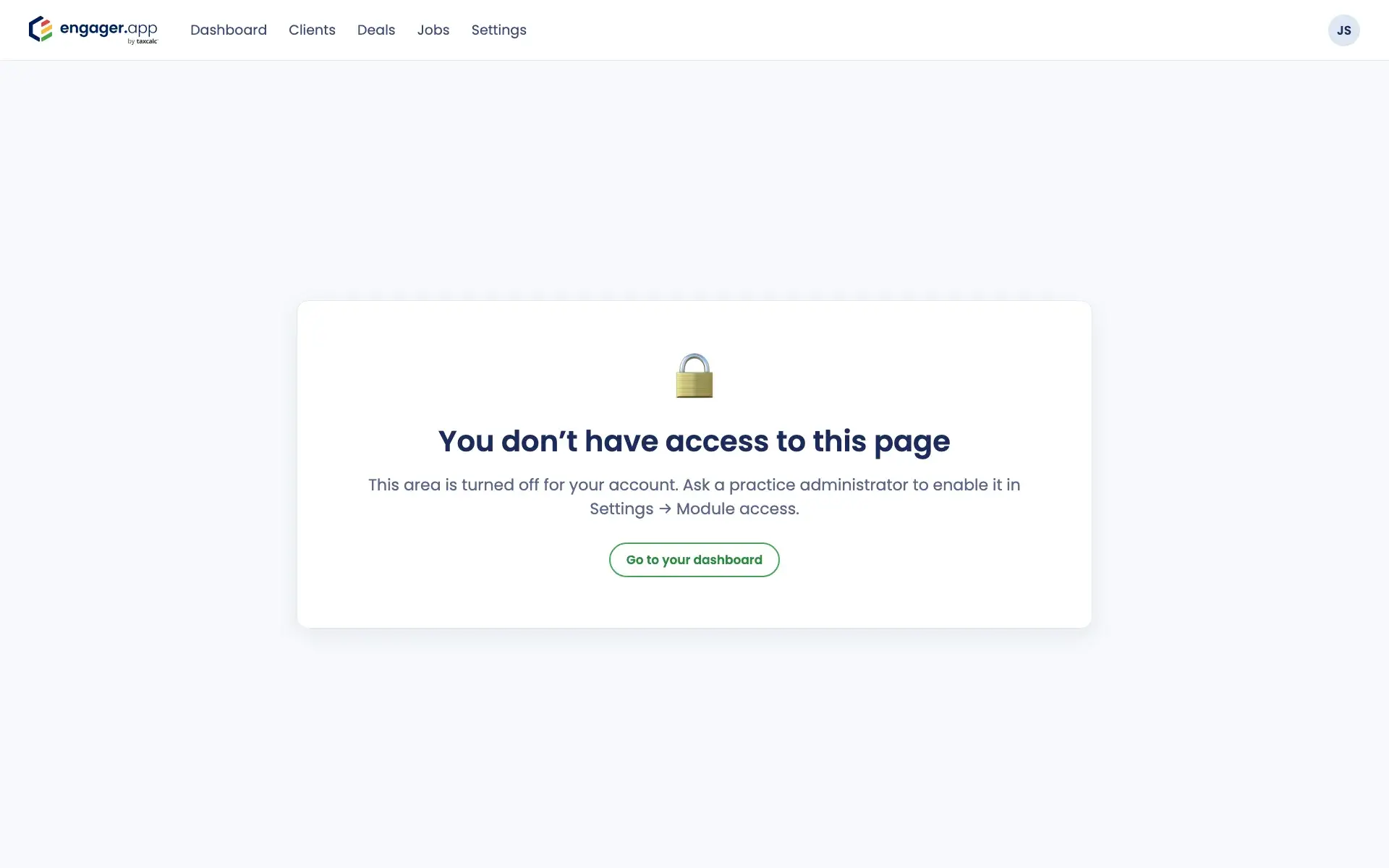
Modules that are switched off disappear from that user’s menu, and links to them show a no access page. Changes apply the next time the page loads, and Settings is always available.
Common challenges
Show trainees only the modules they use, and add more as they learn.
Keep modules such as invoicing or time logs to the people who work with them.
Set practice defaults once and adjust them for individual users.
Switched-off modules disappear from the menu, so each person sees a simpler Engager.