
Most small accounting practices run their new business on a mix of email, a spreadsheet of leads and memory. That works until a busy month, when a promising enquiry goes cold or a proposal sits unopened with nobody following it up. The same goes for existing clients: records arrive late, deadlines creep up and invoices go unpaid because nobody had time to chase.
A CRM fixes both problems. It keeps every prospect and client in one place, shows where each one stands and sends the reminders your team would otherwise write by hand. This guide compares CRM and sales pipeline software for accounting firms in the UK, from all-in-one practice management platforms to standalone sales CRMs, so you can decide which approach suits your practice.
A note before we start: this guide is published by Engager, so we have put ourselves first. For the other platforms we have stuck to what their own websites, help centres and public listings say as of October 2026. Features and prices change, so check the details with each provider.
What does an accounting firm need from a CRM?
A general sales CRM is built for sales teams chasing deals. An accounting practice needs something slightly different, because winning a client is only the start of a long relationship with recurring work and fixed deadlines. Look for:
- A sales pipeline: every prospect at every stage, from first enquiry to signed client, so nothing is forgotten.
- Proposals linked to the pipeline: send a proposal, know when it is opened and follow up at the right moment.
- A smooth handover to onboarding: when a prospect signs, their details should flow into your client records without retyping.
- Automated client reminders: record requests, deadline reminders and follow-ups sent on time without anyone writing them.
- Automated payment reminders: invoices chased automatically, so cash comes in without awkward phone calls.
- Marketing consent built in: a clear split between service messages and marketing, so you stay within GDPR when you email clients in bulk.
All-in-one practice management or a standalone CRM?
This is the biggest decision. A standalone sales CRM such as HubSpot or Pipedrive is excellent at managing deals, but it knows nothing about engagement letters, services, deadlines or job phases. You end up connecting it to your practice management software, or keeping two sets of client records.
An all-in-one platform with a built-in CRM keeps prospects, proposals, engagement letters, client work and reminders together. For most small and mid-sized UK practices that is simpler and cheaper, because the data you collect while winning a client is the same data you need to serve them.
Quick guide: 7 CRM options for UK accounting firms
- Engager: our pick, with a built-in sales pipeline, proposals, automated client emails and payment chasing through Adfin, priced by number of clients
- Karbon: strong automated client requests and shared email for practices focused on existing clients
- TaxDome: CRM, job pipelines and automatic reminders for unpaid invoices and unsigned proposals
- IRIS Elements Practice Management: CRM and workflow with automated email and SMS, formerly Senta
- BrightManager: UK-built, with automated chasing of records and tax payments by email and text, formerly AccountancyManager
- HubSpot: a general-purpose CRM with free tools and paid sales and marketing plans
- Pipedrive: a visual sales pipeline CRM built for deal tracking
1. Engager: our pick for UK accounting and bookkeeping practices
Engager is practice management software built by accountants, with a CRM and sales pipeline built in rather than bolted on. It is part of the TaxCalc family and used by over 2,000 UK firms.
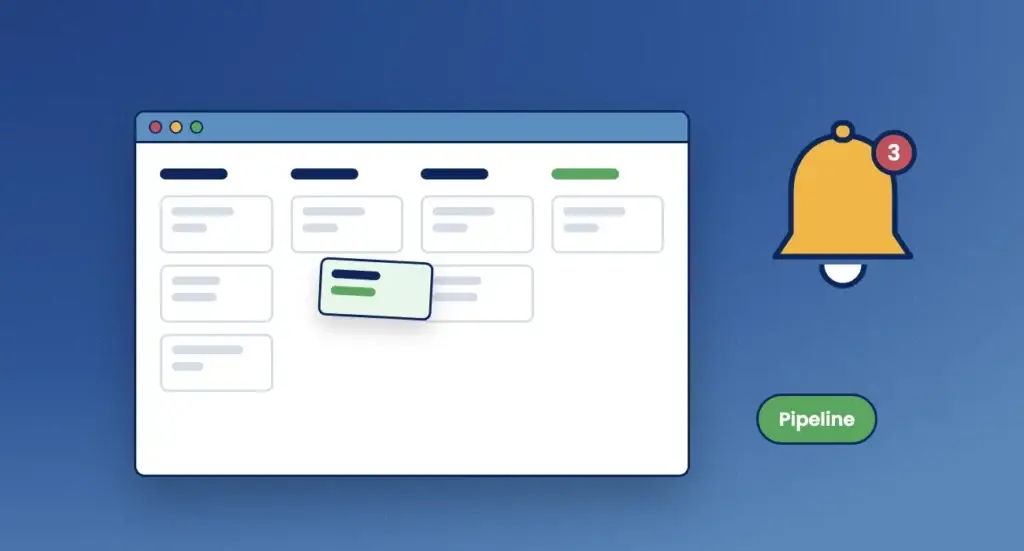
Pipeline shows every prospect at every stage, with stages you set to match how your firm sells. When you send a proposal, the pipeline updates automatically, and Engager tells you the moment a prospect opens it. If a prospect accepts, they move into your client base ready for onboarding with no re-keying. If they decline, Engager records the reason, so you can spot patterns over time.
Once a prospect becomes a client, automated emails take over the chasing. Reminders and record requests go out based on service deadlines or completed job phases, using your templates and branding, and client replies are linked to their profile. For automated payment reminders, the Adfin integration lets you push invoices from Engager to Adfin in one click, and Adfin handles sending, chasing, collecting and reconciling payments.
“Proposals are much quicker to produce now, and they look a lot more professional too.”
Peter Harvey, Saviour Accounting
Engager CRM features
- Sales pipeline: custom stages, full prospect history and loss reasons captured when a prospect does not convert.
- Proposals with open notifications: branded proposals with fees built in, and an alert as soon as a prospect opens one.
- Straight into onboarding: accepted prospects become clients, with engagement letters and e-signature built in.
- Automated client reminders: deadline and job-phase triggers, with the option to review each email before it goes.
- Bulk email and SMS: filter clients and send personalised messages in one go, each labelled as Information or Marketing for GDPR.
- Payment collection: automated payment chasing through Adfin, and open banking payment requests through Crezco.
Engager pros and cons
| Pros | Cons |
|---|---|
| Pipeline, proposals, onboarding and client reminders in one system | Built for accountancy firms rather than as a general sales CRM for large sales teams |
| Priced by number of clients, with unlimited users and every feature, including Pipeline, on every plan | SMS messages are charged separately |
| Information and Marketing labels help keep bulk messages within GDPR | Automated payment chasing runs through Adfin, which has its own pricing |
2. Karbon: automated client requests and shared email
Karbon is practice management software built around shared email and workflow. Its client requests are one of the strongest options for automated client reminders: send a request from a workflow and Karbon follows up on a schedule until the client responds, with gentle, urgent or custom reminder patterns. Reminders stop after the fifth to reduce the chance of emails being flagged as spam.
Karbon’s focus is on managing work for existing clients rather than tracking prospects through a sales pipeline. In October 2026 it made Engagements, its proposals and engagement letters feature, generally available.
Karbon pros and cons
| Pros | Cons |
|---|---|
| Automated client requests with scheduled follow-ups | No dedicated sales pipeline for prospects that we could find |
| Shared email and activity timelines for every client | Priced per user, so costs rise as the team grows |
3. TaxDome: CRM with automatic reminders
TaxDome combines a CRM, client portal, billing and workflow. Its pipelines move jobs through a series of stages, and automatic reminders follow up with clients who have not completed something, such as paying an invoice, signing a proposal or submitting an organiser. Reminders can run on a schedule or be triggered by pipeline automation.
TaxDome pros and cons
| Pros | Cons |
|---|---|
| Automatic reminders for invoices, proposals and client tasks | Pipelines are built around jobs rather than sales prospects |
| CRM, portal and billing in one platform | Priced per user, and automation needs upfront setup |
4. IRIS Elements Practice Management (formerly Senta)
IRIS Elements Practice Management, previously Senta, provides a CRM and a customisable workflow engine for UK practices. It can send ad hoc or automated client messages by email or SMS, and alerts can be triggered from task lists for upcoming deadlines and overdue work. Prospects are handled through IRIS Elements Proposal Manager, a separate product that creates and tracks quotes through to the engagement letter.
IRIS Elements Practice Management pros and cons
| Pros | Cons |
|---|---|
| Automated client messages by email and SMS | Proposals sit in a separate product with its own pricing |
| Customisable workflow engine | Priced per user |
5. BrightManager: automated chasing for UK compliance work
BrightManager, previously AccountancyManager, is UK-built practice management software for accountants, bookkeepers and payroll bureaus. Its strength is automated chasing: you write a record request email once for each service, and BrightManager sends it to the right clients at the right time, with the option of a text message, and keeps asking until the missing records arrive. It can chase tax payments in the same way, and task lists are generated from compliance deadlines.
Onboarding runs from professional clearance through to proposals and letters of engagement, with AML checks and risk assessments. We could not find a dedicated sales pipeline for tracking prospects before they reach the proposal stage.
BrightManager pros and cons
| Pros | Cons |
|---|---|
| Automated record and tax payment chasing by email and text | No dedicated sales pipeline for prospects that we could find |
| Onboarding from clearance to signed engagement letter, with AML checks | The white-labelled client portal is a paid add-on |
6. HubSpot: a general-purpose CRM
HubSpot is one of the best-known CRMs. You can start with its free CRM tools, then move to paid Sales Hub plans, priced per seat, for features such as sequences and more automation. It offers deal pipelines, email tracking, marketing tools and a large library of integrations.
HubSpot is not built for accounting practices, so it has no concept of services, engagement letters, statutory deadlines or job phases. Practices that use it for sales usually connect it to separate practice management software for everything that happens after a client signs.
HubSpot pros and cons
| Pros | Cons |
|---|---|
| Free CRM tools to get started | No accountancy features such as engagement letters or deadlines |
| Strong marketing and sales tools | Paid plans are priced per seat and advanced automation sits in higher tiers |
7. Pipedrive: a visual sales pipeline CRM
Pipedrive is a sales CRM built around a visual, drag-and-drop pipeline. It is quick to learn and good at keeping deals moving, with activity reminders for the person who owns each deal. Plans are priced per user, and there is a 14-day free trial rather than a free plan.
Like HubSpot, Pipedrive is designed for sales teams rather than accounting practices, so client work, deadlines and engagement letters need another system.
Pipedrive pros and cons
| Pros | Cons |
|---|---|
| Clear, visual pipeline that is easy to pick up | No accountancy features for client work after the sale |
| Good deal follow-up reminders | Priced per user, with no free plan |
Comparison table
| Platform | Built for accounting firms | Sales pipeline for prospects | Automated client reminders | Pricing based on |
|---|---|---|---|---|
| Engager | Yes | Built in | Deadline and job-phase triggers | Number of clients |
| Karbon | Yes | Not a focus | Client requests with follow-ups | Users |
| TaxDome | Yes | Job pipelines | Invoices, proposals and tasks | Users |
| IRIS Elements Practice Management | Yes | Through Proposal Manager | Email and SMS | Users |
| BrightManager | Yes | Not a focus | Records and tax payments, by email and text | Team size |
| HubSpot | No | Built in | Sales automation on paid plans | Seats |
| Pipedrive | No | Built in | Deal reminders for your team | Users |
Correct at the time of writing (October 2026), based on each provider’s website, help centre and public listings. Check current details with each provider.
Automated payment reminders: what are the options?
Late payment is one of the most common frustrations in a small practice. There are three common ways to automate the chase:
- Your accounting software: Xero, QuickBooks and FreeAgent can send invoice reminders, which works well if you invoice from them.
- A payment automation platform: tools such as Adfin send invoices, chase payments and reconcile them for you. With Engager you can push invoices to Adfin in one click and add Direct Debit sign-up to onboarding.
- Your practice management software: platforms such as TaxDome include reminders for unpaid invoices within their own billing.
Whichever route you choose, the key is that reminders go out without someone having to remember to send them.
How to choose the right CRM for your practice
Start by listing where work falls through the cracks today. If it is new business, prioritise a pipeline linked to proposals and onboarding. If it is chasing existing clients, prioritise automated reminders tied to deadlines and job phases. If it is both, an all-in-one platform will save you running two systems.
Then ask each provider a few practical questions. How does a prospect become a client, and is anything retyped? Can reminders be triggered by service deadlines? How are marketing and service messages separated for GDPR? And how does the price change as your team grows? For a wider checklist, see our comparison of the best UK practice management software.
Why Engager is our pick
Engager gives small and growing practices a CRM that fits the way accountants actually win and keep clients. The pipeline, proposals, engagement letters, onboarding and client reminders share the same client record, so nothing is retyped and nothing is forgotten. Every plan includes every feature, Pipeline included, and unlimited users, priced by the number of clients you look after. See pricing.
“I love the integrations, particularly with Xama, and how easily I can put together proposals.”
Nicole Reilly, Growth Through Knowledge
Engager is rated 4.6 on Trustpilot. The 28-day free trial needs no card details, so you can set up your pipeline and reminders with real prospects and clients before you decide.
FAQs about CRM software for accounting firms
What is the best CRM for a small accounting firm?
For most small UK practices, a CRM built into practice management software is the simplest choice, because the same system then handles proposals, engagement letters, client work and reminders. Engager includes a sales pipeline, proposals and automated client emails on every plan, from £9 +VAT a month.
Do accountants need a separate CRM?
Not usually. A standalone sales CRM such as HubSpot or Pipedrive is powerful for deal tracking, but it has no accountancy features, so you would need to connect it to your practice management software. An all-in-one platform avoids keeping two sets of client records.
How do automated client reminders work?
You set up email templates once and choose what triggers them, such as a service deadline or a completed job phase. The software then sends each reminder at the right time with the right client details. In Engager you can review each email before it goes, or let it send automatically.
Can Engager send automated payment reminders?
Yes, through the Adfin integration. You push invoices from Engager to Adfin in one click, and Adfin handles sending, chasing, collecting and reconciling payments. Clients can pay by Direct Debit, open banking, bank transfer or card.
How do I keep bulk client emails within GDPR?
Separate service messages from marketing and respect each client’s preferences. In Engager, every bulk message is labelled as Information or Marketing, so you can send updates to everyone who needs them while keeping marketing to clients who have agreed to it.