
Workflow management for accountants means turning every recurring service into a repeatable job, with set phases, a checklist, an owner and an internal deadline that lands well before the statutory one. Once each job follows the same path, you can see at a glance what is waiting on clients, what is with the team and what is at risk. The setup takes some thought, but it pays back every month of the year.
Why a defined workflow matters
Most practices run the same handful of services again and again: year-end accounts, corporation tax returns, Self Assessment, VAT returns, payroll and bookkeeping. Without a defined process, each job depends on whoever picks it up, and work in progress lives in inboxes and memories.
A clear workflow gives you three things:
- Consistency: every job is done the same way, whoever does it.
- Visibility: you can see where each job is without asking around.
- Earlier warnings: stuck jobs show up while there is still time to fix them.
Step 1: map services to jobs
Start with your service list, not your software. For each service, write down:
- what triggers the job (a year end, a quarter end, a payroll date);
- how often it repeats (monthly, quarterly, annually);
- which clients receive it;
- the statutory deadline it is working towards.
Each client then gets one recurring job per service. A limited company client might have an annual accounts job, a corporation tax job, four VAT jobs and twelve payroll jobs a year. If the services match what is in your engagement letter, you also have a quick check that you are not doing unbilled work.
Step 2: break jobs into phases and checklists
Phases describe the big stages a job moves through. Checklists sit inside each phase and list the individual steps. Keep phases few and broad, and keep checklist items specific enough that a junior member of staff can follow them.
A typical set of phases for most compliance work is:
- Records requested
- Records received and checked
- In preparation
- In review
- With client for approval
- Filed and complete
Using the same phase names across services makes the overall picture easier to read. You can then see, for example, how many jobs of every type are waiting on clients this week.
Step 3: set internal and statutory deadlines
Statutory deadlines are fixed by law. For a private limited company, GOV.UK confirms that annual accounts are due at Companies House nine months after the financial year ends, corporation tax is payable nine months and one day after the accounting period ends, and the company tax return is due one year after the accounting period ends. Other examples include VAT returns, usually due one calendar month and 7 days after the end of the period, and Self Assessment returns for 2025 to 2026, due online by 31 January 2027.
To check the three main company dates for any year end, the company filing deadlines calculator works them out from the accounting period end.
Internal deadlines are the ones you set yourself, and they are what actually keep work on track. Set one for each phase, not just the final filing. Aim to file well ahead of the statutory date, so a late client or a sick day does not turn into a penalty.
Step 4: plan capacity and assign work
Every job needs a named owner and, where relevant, a reviewer. Then compare the work due each month with the hours your team actually has.
Here is a simple way to do it. Suppose a fictional practice has four staff, each with 28 chargeable hours a week, which is 112 hours a week or roughly 485 hours a month (112 × 52 ÷ 12). If the jobs due in a given month are estimated at 560 hours, the practice is about 75 hours short. It can move internal deadlines for some jobs into a quieter month, ask clients for records earlier, or bring in help, but it can only do that if it spots the gap in advance.
Spread year ends where you can. Clients with 31 March and 31 December year ends tend to create peaks; a workflow that shows hours due by month makes those peaks visible.
Step 5: chase records automatically
Missing records are a common reason for a job to stall in its first phase. Rather than relying on someone to remember, build the reminders into the workflow:
- send the records request automatically when the job opens;
- follow up at set intervals until the records arrive;
- tell the client plainly what you need and the date you need it by;
- move the job forward as soon as the records are in.
Automated reminders are polite, consistent and never forget. They also free your team from writing the same chasing email dozens of times each season.
Step 6: review work in progress weekly
A short weekly meeting, kept to 20 or 30 minutes, keeps the workflow honest. Work through the list in this order:
- jobs past an internal deadline;
- jobs due in the next two weeks that are still waiting on records;
- jobs sitting in review for more than a few days;
- new work coming in and who will take it.
Agree one action and one owner for each stuck job, and check those actions next week.
Worked example: a year-end accounts job
Fictional practice Ashby Lane Accountants prepares accounts and the corporation tax return for Fernmoor Joinery Ltd, a fictional company with a 31 March 2027 year end. Its statutory dates are:
- accounts to Companies House by 31 December 2027;
- corporation tax payment by 1 January 2028;
- CT600 filed by 31 March 2028.
Ashby Lane sets an internal target to file the accounts and return by 30 September 2027, giving three months of slack before the first statutory deadline. The job is broken down like this:
| Phase | Checklist items | Owner | Internal deadline |
|---|---|---|---|
| Records requested | Send records request, bank statements, sales and purchase invoices, payroll summaries, loan statements | Administrator | 7 April 2027 |
| Records received and checked | Confirm all bank accounts reconciled, query missing items with the client | Accounts senior | 30 June 2027 |
| In preparation | Draft accounts, fixed asset additions, accruals and prepayments, director’s loan account, draft tax computation | Accounts senior | 31 July 2027 |
| In review | Manager review, clear review points, prepare client queries | Manager | 21 August 2027 |
| With client for approval | Send accounts and return for approval, explain tax payable and due date | Manager | 15 September 2027 |
| Filed and complete | File accounts and CT600, send payment reminder for 1 January 2028, roll job forward to next year | Accounts senior | 30 September 2027 |
If the records are not in by 30 June, the weekly review picks it up straight away. Ashby Lane still has six months before the Companies House deadline to sort it out.
Frequently asked questions
What is the difference between workflow and task management?
Workflow is the process a type of job follows. Task management is how individual pieces of work are assigned, tracked and completed within that process. You need both.
How many phases should a job have?
Usually five to seven. Fewer than that and you cannot see where work is stuck; more and the board becomes hard to read.
How far ahead of the statutory deadline should internal deadlines be?
That depends on your capacity and your clients, but it is worth building in weeks or months of slack on annual work. The example above uses three months for accounts.
Should every service have its own workflow?
Each service should have its own checklist, but sharing phase names across services makes reporting much simpler.
How Engager helps
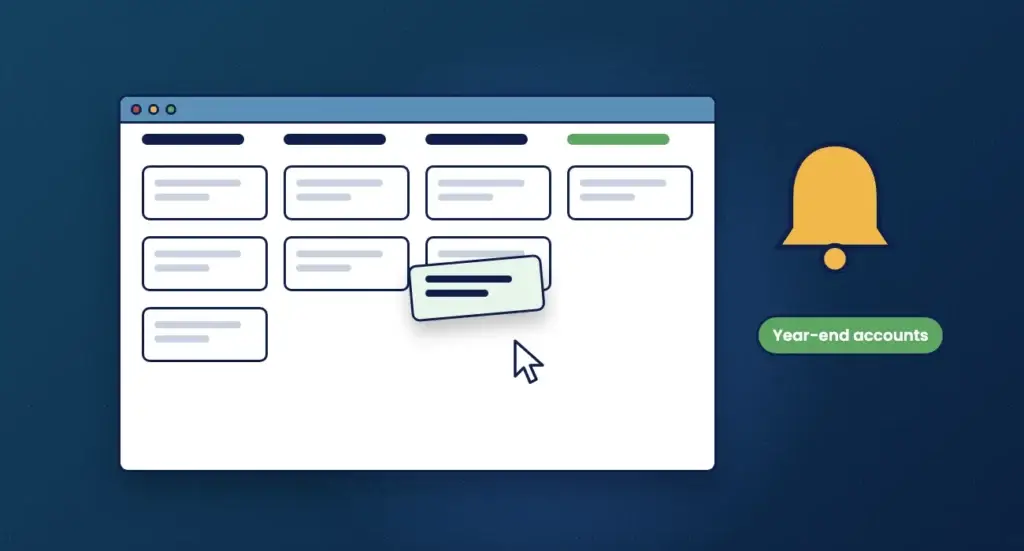
Engager’s task management uses Kanban boards with job phases and checklists, alongside statutory and internal deadlines. The Companies House integration brings in company details and statutory deadlines, so you are not keying them in by hand.
Automated emails and reminders can chase clients for records, and time tracking shows where the hours go. Engager is part of TaxCalc and used by over 2,400 UK firms.
Not using Engager yet? Start a free 28-day trial, with no card details required, or book a demo.