









August’s releases are about saving the small amounts of time that add up over a month: fewer manual steps when you switch on services, clearer reporting on your sales and your team’s work, and more information arriving from TaxCalc without anyone retyping it. Several of them came straight from requests on Sleekplan. Here is what changed.
Fee review widget on the dashboard
You can now see at a glance which service checklists have been flagged for a fee review. The new fee review widget brings them together on your dashboard, so nothing slips through to the next billing cycle unnoticed.
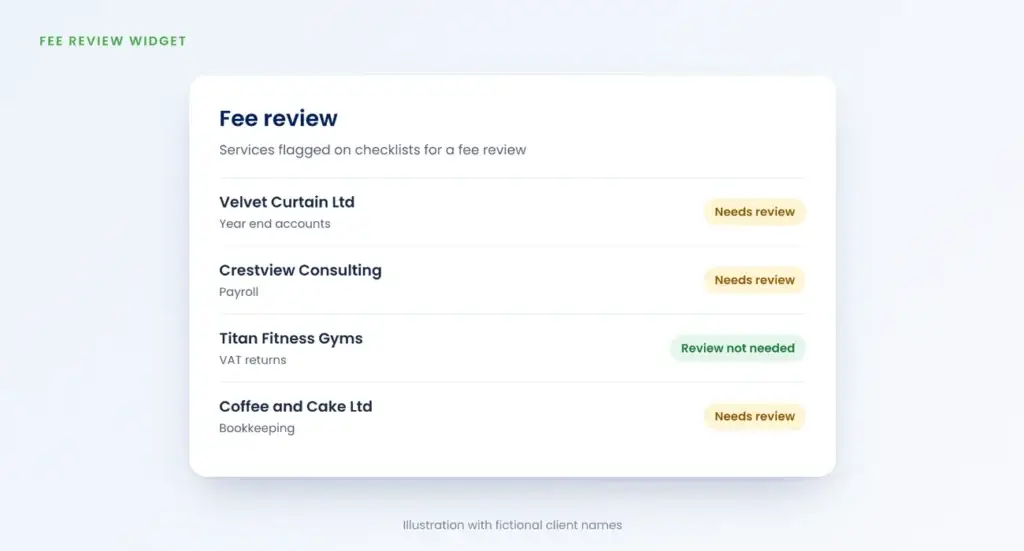
This is the first phase, and there is more planned. If there is something you would like the widget to do, for example leaving out archived clients, tell us on Sleekplan.
Won and lost deals report
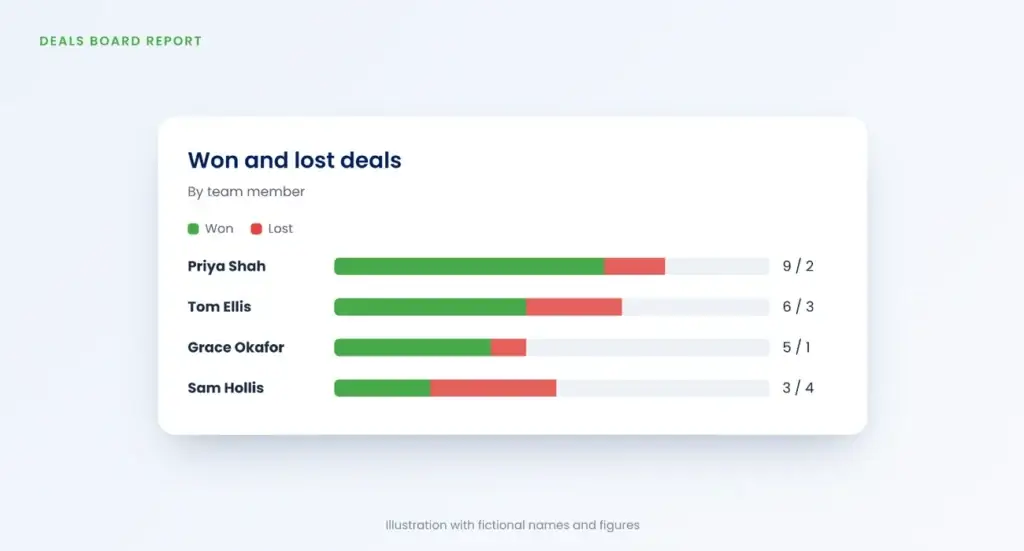
A new report on the deals board breaks down won and lost deals, including a split by team member, so you can see how your sales activity is going.
Three new job statuses
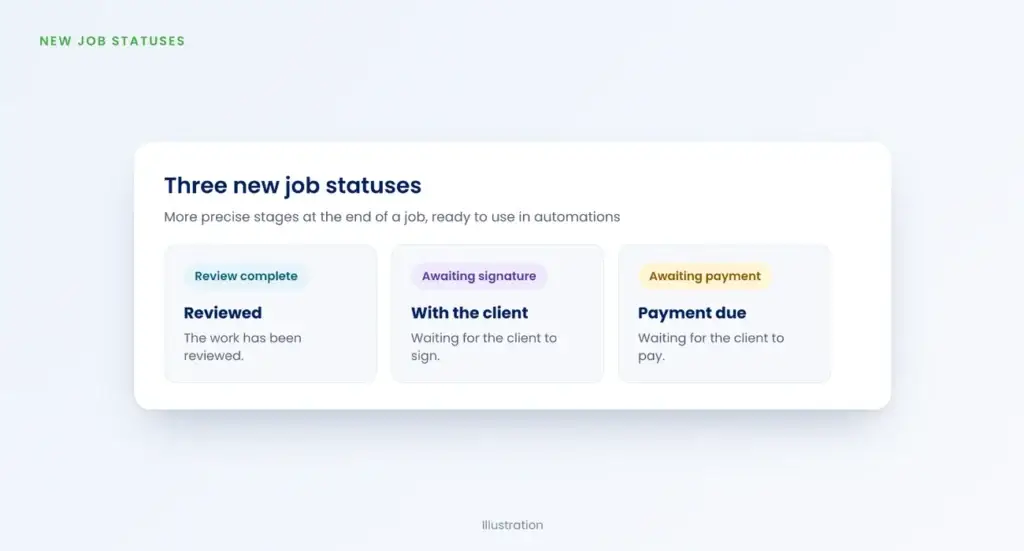
Review complete, Awaiting signature and Awaiting payment give you more precise stages at the end of a job. They also open up new automations, such as chasing clients who have not yet signed.
Better client memos
Memos can now hold screenshots and document uploads, so important files such as receipts or correspondence about a dispute sit alongside the note your whole team can see. You can also pin a memo to keep it at the top of the list.
Due dates filled in when you bulk-enable services
When you bulk-enable services, Engager now fills in the due dates wherever they can be worked out, rather than you setting them one by one:
- fixed statutory dates for SA100, SA800 and CIS
- dates based on the client’s accounting or confirmation statement dates for accounts, CS01 and CT600
- dates based on the client’s VAT quarters for VAT
Services with no fixed or derivable date are left blank, as before.
Full-screen previews of proposals and letters
You can now open a proposal or letter of engagement full screen in a new tab, which makes it easier to check that a document reads well before it goes out.
Manager column on the completed jobs report
The completed jobs report now shows who managed each job, with a filter so you can narrow it down to a single manager’s completed work.
Rounding for service prices
You can now round a service price to the nearest pound instead of showing exact pence, which is useful for catch-up fees and instalments.
TaxCalc: filed status and tax data
For clients linked to TaxCalc, filing accounts in TaxCalc now moves the Engager job to Filed automatically. The job is not completed for you, because there is often more to do afterwards.
Self assessment and CT600 tax reference data, including liabilities, now pulls through from TaxCalc into Engager. That makes it easier to send bulk reminders or automated payment on account emails using figures already in the system.
Smaller changes
- You can copy a client’s email address again, after feedback that an earlier change had made this harder.
- Settings now shows a log of who has exported data from your account, when, and which clients and columns were included.
- The Weekly Live has moved to 1pm on Wednesdays, following a poll of the community.
Watch the walkthrough
The first of August’s releases were demonstrated at the Weekly Live on 12 August. The updates begin at 2:05, or you can watch from that point on YouTube.
Weekly Live is a free, open Q&A where you can see new features and ask questions about how your firm uses Engager. See the upcoming sessions.
Try Engager
Not using Engager yet? Start a free 28-day trial, with no card details required, or book a demo and we will show you around.